Introduction to Meta Platforms for Enterprises — How to fully set up, verify, and connect WhatsApp Business API, Facebook and Instagram accounts
02.01.2023
Arrange a non-binding consultation now
In a non-binding conversation, we'll show you how to use messenger communication in compliance with GDPR, automate processes and achieve measurably more revenue and efficiency with WhatsApp. Clear, practical and tailored to your company.


Meta Platforms basics
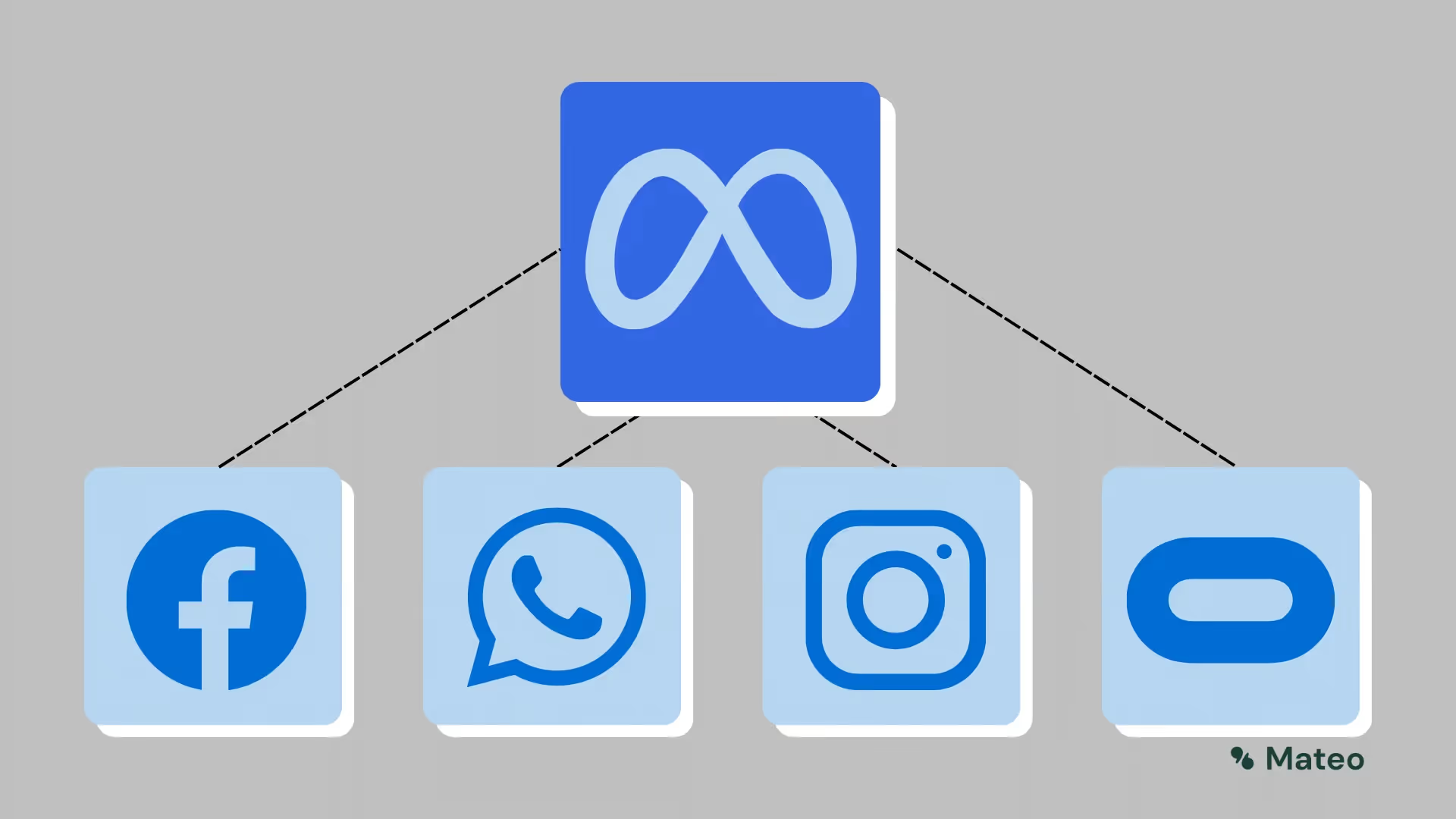
Meta describes itself as”Social technology companies”. Founder Mark Zuckerberg himself announced at the Facebook Connect conference on 28.10.2021 that his company will be called Facebook (Thefacebook LLC) from now on Meta. Facebook had already bought the companies Instagram (April 2012) and WhatsApp (February 2014), which are still part of Meta.
Just one month later, in March 2014, Facebook also acquired Oculus VR, a manufacturer of virtual reality glasses. Building the so-called metaverse will be one of Meta's core goals, which want to create a link between the real and online world.
The importance of Meta Platforms for using hellomateo's messaging software
With hellomateo, in addition to email and SMS, the meta platforms Facebook, Instagram and WhatsApp can of course also be used as a communication channel. All messages end up in a central inbox — this leads to a better overview and a more efficient way of working.
The role of Meta products in hellomateo is therefore relatively self-explanatory: Since with Facebook, instagram, and above all whatsapp Three of the largest digital communication platforms belong to Meta, these channels are also connected via Meta Platforms. Hellomateo uses a so-called application programming interface (API) so that you can send and receive messages in a GDPR-compliant manner.
On the one hand, this offers the great advantage that all three can be verified and managed via Meta Business Manager. On the other hand, a missing or even failed company verification quickly results in restrictions taking effect on all platforms. It is therefore important to comply with the meta guidelines and to fully verify the company.
Furthermore, the meta platforms can be linked together quite easily, which allows you to easily link to your other channels in the profiles. You can find out how this works in the following brief instructions.
Instructions for creating, verifying and linking Facebook, Instagram and WhatsApp business accounts
Create a Facebook business account
Prerequisite: A private Facebook account
In order to create a Facebook account for your company, you first need a private account for verification reasons. This account is not publicly visible on your company page. If you already use Facebook privately, it is therefore a good idea to use this account directly — in this case, you can continue with step 2.
If you don't want that, or don't even have a Facebook account yet, visit the Facebook homepage and register there by clicking on the “Create new account” button. For security reasons, when creating a new private account, there may be a short waiting period before you can connect a company page.
Quick guide: Create a Facebook business account
To create a Facebook account for your company, click on “View all” in the menu on the left, and from there on “Create -> Page.”

A view now opens in which you can create and complete your company profile step by step. In addition, you can see in parallel how your Facebook page will be displayed later in the browser and on the mobile phone. At the end, simply save your information and your new company page is available on Facebook.
Create an Instagram business account
Step 1: Create account
To create a new account, call Instagram homepage and then click on 'Sign Up'. Alternatively, you can log in directly via your Facebook profile here.
In the mask that now appears, you can now fill in the fields displayed, click on 'Next' and your new account is created. You can use the settings to add further information about your company, as well as a profile picture and links to other channels.
Step 2: Switch to a professional account
Instagram accounts are initially always created as personal accounts and can be converted into professional accounts later on. In turn, there are creator and business accounts, although the latter is necessary to work with hellomateo.
Instructions for the browser version of Instagram:
In your profile settings, which you access via the cogwheel, you can select 'Professional account. ' At the bottom, click on 'Convert to business account', complete your data and send it using the button.


Tip: Since it is more common for the current account type to be displayed incorrectly in the Instagram web view, it is recommended to check this in the mobile app. To do so, go to your profile, open Settings, and then click Account. If it is not possible to switch to a professional account under 'Change account type', your account is already set up as a company account. Otherwise, you can also switch directly to the professional account here.
Instructions for the Instagram smartphone app:
First click on “Settings”, then on “Account” and scroll down. By clicking on “Switch to professional account”, your account is converted. If the process was successful, the button changes to “Switch to personal account.”

Connect Instagram and Facebook
Linking your company's Facebook and Instagram accounts is only possible if Instagram has been set up as a company account. It is also necessary that you have admin or editor access (Facebook Business Manager), or full or partial control over new pages (Meta Business Suite). Accordingly, go through the previous steps carefully and verify that your accounts meet all requirements.
Facebook Business Manager
Open your Business Manager and select your page settings in the “Accounts” section. There, you can now add a new account, log in to Instagram again, and are then automatically redirected back to Facebook.

Meta Business Suite
Open your Business Suite and from the menu on the left, select the company settings off. Use the icon in the top right corner to make sure that you are browsing the desired company profile. If that's the case, select “Linked Accounts” and then “Instagram.” Sign in to Instagram in the automatically opened window and your two accounts are linked together.

Connect WhatsApp with Facebook & Instagram
To make it easy for your new and existing customers to find your WhatsApp number on social media, it's a good idea to link WhatsApp to your Facebook and Instagram pages. This requires successfully set up Facebook and Instagram business accounts.
Instructions: Connect WhatsApp to Facebook
In order to be able to use WhatsApp effectively on Facebook, the two channels must first be connected together. To do this, open the page on Facebook 'Linked Accounts' and select WhatsApp from there. Enter your area code and telephone number there, request a code and confirm it, and the two accounts are linked. Immediately afterwards, Facebook suggests a few ways to use the WhatsApp number in Facebook. We think it is advisable to use these options.

You can create the most visible link to WhatsApp for customers by including the number in your profile page. So that the WhatsApp chat can be opened with just one click, we recommend using an action button. Either activate it directly after linking the number to Facebook, or later, also on the “Linked Accounts” page.

Using the Click2WhatsApp link, which you can find directly on the respective news channel in hellomateo, you can add a button to organic posts or advertisements that lead directly to a chat with you. Simply add it under “Call to Action” when you create a new post or ad.
Instructions: Connect WhatsApp to Instagram
On Instagram, you have various options for pointing out the number.
To add a button to your profile that redirects visitors directly to WhatsApp, you need the WhatsApp Business app, click on 'More Options' (Android) or 'Settings' (iPhone), then on 'Business Tools, 'and finally on 'Facebook and Instagram.' After selecting 'Instagram', the login page opens, where you can log in with your login details or via Facebook. Here, you can confirm your account information again and return to WhatsApp using the 'Add' field.
To add the number directly to your profile, you can include a Click2WhatsApp link in your Instagram profile description. This is stored in hellomateo on the corresponding WhatsApp message channel.

In addition to adding the Click2WhatsApp link to the profile description, it is recommended to make this link public via an Instagram story. To do this, you must create a story (preferably with the image of the WhatsApp logo) and link it with a stickers add so that it can be clicked on within the story. Then simply add the story to the “Featured Stories” section and rename it with the name “WhatsApp” or “Contact us via WhatsApp.” The story is permanently displayed on your Instagram profile and allows potential customers to easily contact your company.

Facebook business verification
By verifying your Facebook Business account, you can both increase your account quality and more easily cooperate with the meta guidelines, which means that message templates are accepted more frequently and allows you to connect multiple numbers.
How to check verification status and start the verification process
To check the current status of your Facebook account, visit company settings in account settings. There, you can either submit a verification request, or track whether your account has already been fully verified.
Start a new verification process in Security Center. There, simply follow the steps shown in Business Verification. If this field does not exist, you can go directly to Facebook Support open a ticket. To verify your company, you need documents that confirm your registered company name, business address or telephone number. For example, an extract from the commercial register, but also electricity or gas bills are suitable for this purpose.
Check the Facebook Business account quality
If you have difficulties with verification, it is worth using the Account Quality to check. From time to time, disabled ads, as well as any other actions that violate Facebook policies, may restrict verification. To fix these entries, simply follow the steps required by Facebook, which are usually listed right next to them.
Dealing with Meta Platforms Support
If verifying your company account doesn't work directly or you have questions about Facebook, it is often necessary to contact Meta directly. It is therefore important to know how Meta offers support, how to contact them, and where you can manage your support tickets.
General questions
Facebook has created a series of articles on frequently asked questions, which summarize the most important information in each case. A page with all these topics can be found here. The information listed about Meta's corporate and advertising policies can also help to understand the reasons behind poor account quality or potential sources of problems.
Meta Business Suite Support
In addition to this page, you can also go directly to the Meta Business Suite search for items. To do this, select “Help” in the menu on the left and click on “Help” again. In the bar, which now opens on the right, you can now search specifically for your question. The articles usually provide a good basis for resolving the most common problems and explaining necessary steps to you.
Support tickets
If you are in Meta help section for companies Scroll down, you can also create a support ticket. There, simply click on “Let's go”, which will redirect you to a page where the problem can be defined. Describe as precisely as possible what you need help with and, if necessary, add screenshots, links, or required ID numbers. Facebook Support will then take care of your request, and the response time varies depending on workload, subject area, and accuracy of your description.
Should you need your company ID at any time, you can find it under the heading 'Account Quality'.
hellomateo customers receive support for problems relating to Meta Platforms
The messaging experts at hellomateo will be happy to assist you if you have difficulties setting up, linking or verifying Meta Platforms' communication channels. We offer you a comprehensive service covering all aspects of optimizing your customer communication.
With hellomateo, the messaging software not only allows you to centralize communication channels such as Instagram and WhatsApp in one inbox. In addition, message templates for quickly processing customer inquiries and the optional sending of newsletters, as well as various other tools ensure not only highly efficient and at the same time very personal customer service, but also effective marketing. Hellomateo is through a API connection In contrast to the standard version of WhatsApp Business, it is 100 percent GDPR-compliant.
Know the range of the following features hellomateo's customers particularly appreciated:
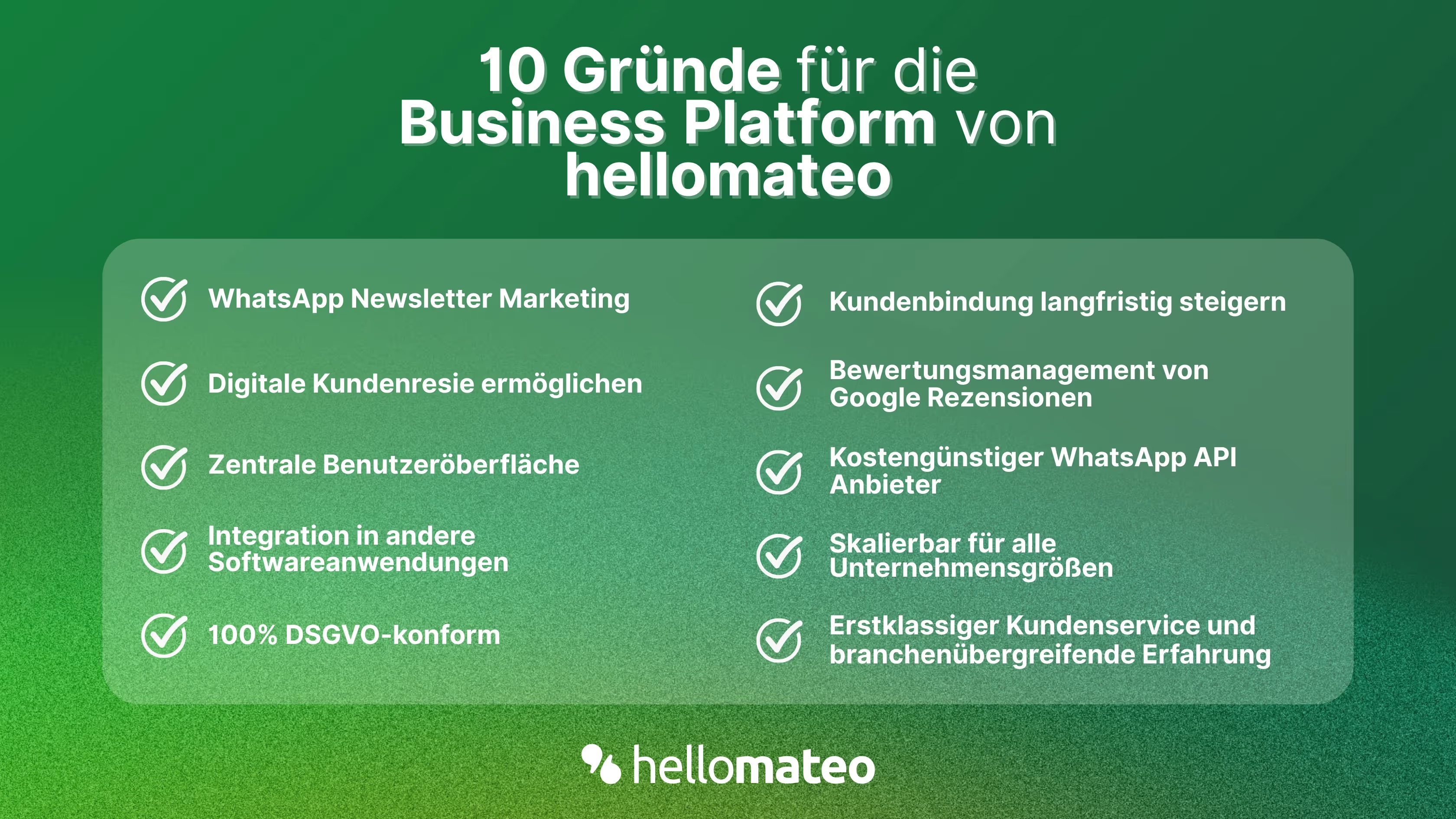
- Central user interface: hellomateo combines WhatsApp Business Platform, email, Instagram, SMS and Facebook Messenger in one central inbox. The intuitive user interface includes various tools for efficient customer communication and saves you valuable working time.
- integrations: With hellomateo, you can use WhatsApp in integrate over 6,000 software programs and fully automated Customer trips create with invitations, order confirmations, shipping information, invoices, and reminders.
- Newsletter marketing: Send GDPR-compliant Newsletter via WhatsApp or SMS and benefit from opening rates of over 95%.
- Assessment management: hellomateo can Automatically request online reviews from your customers, which boosts your Google ranking and trust in your company.
- Data protection: hellomateo meets all German and European Data protection requirements and offers end-to-end encryption for secure customer communication.
- scalability: Our software is suitable for Businesses of all sizes and can be extended indefinitely depending on the package.
- Diverse AI features: Our AI agent can automatically answer customer inquiries in chat, answer calls, help with the formulation of messages and much more.

Interested? Book a free, non-binding demo appointment and learn more about hellomateo and WhatsApp communication. Book here.
About the author
Domenik Fox
CEO and Co-Founder
Domenik Fox is co-founder and CEO of hellomateo. He is responsible for Customer Success, Customer Engineering, Finance and Product. A particular focus of his work is on the continuous development of the product and the design of new features. In terms of content, he focuses primarily on automated and personalized customer communication, multichannel marketing and digital customer journeys. Together with Christian Strauch and Philipp Steinrötter, he is continuously developing hellomateo into a central platform for modern customer experience in SMEs.
More interesting articles
WhatsApp Business Data Processing Agreement— all information for companies
WhatsApp is an integral part of customer communication for many companies. High opening rates and quick responses make the channel attractive. But as soon as you use WhatsApp Business, you process personal data — and therefore there are clear GDPR requirements. In this article, you will find out what role the order processing contract plays and why it is indispensable for companies.

![Set up WhatsApp Business Auto Reply — Quick Guide [2025]](https://cdn.prod.website-files.com/68b19e5233a4641b9e2e4f95/692dd05228900f9fa9834bd4_whatsapp-automatische-antwort.avif)
Set up WhatsApp Business Auto Reply — Quick Guide [2025]
With automatic Reply messages Is there for them in the WhatsApp Business App provides a practical way to your customers in the digital chat channel automatically greet And in a flash one first reaction to show. Because day-to-day business is often stressful; you can't always respond personally to incoming messages and write back to the customer immediately.
But there are also many other reasons why it makes sense to use automatic reply messages when using the WhatsApp Business app. With this Quick guide Automatic answers are set up in a flash!

![Grüner Haken in WhatsApp – So bekommen Unternehmen die Verifizierung [Oktober 2025]](https://cdn.prod.website-files.com/68b19e5233a4641b9e2e4f95/692dcf56fb67605603b34297_gruener-haken.avif)
Grüner Haken in WhatsApp – So bekommen Unternehmen die Verifizierung [Oktober 2025]
WhatsApp hat eine neue Funktion eingeführt: Unternehmen können Ihr Konto verifizieren lassen und bei erfolgreicher Legitimation einen grünen Haken in dem WhatsApp Business Unternehmensprofil erhalten. Das sorgt für mehr Vertrauen bei Kaufinteressenten Ihres Unternehmens und steigert Ihre Umsätze! Zudem können Sie sich durch einen grünen Haken in WhatsApp Business von Ihren Wettbewerbern abheben. Doch wie funktioniert die Beantragung des beliebten Symbols? In diesem Beitrag zeigen wir es Ihnen!