Schedule WhatsApp message - instructions [May 2025]
28.05.2025
Arrange a non-binding consultation now
In a non-binding conversation, we'll show you how to use messenger communication in compliance with GDPR, automate processes and achieve measurably more revenue and efficiency with WhatsApp. Clear, practical and tailored to your company.


Short FAQ with the most important questions
Can I schedule messages using WhatsApp?
No, the normal WhatsApp Messenger doesn't have a built-in feature to save messages for later or send them automatically.
What does “send with a time delay” mean on WhatsApp?
”Send with a time delay“means: You write a message now, but want it to be sent automatically at a later date — without having to take action again later.
Do I need WhatsApp Business for that?
Not necessarily.
- With WhatsApp Business API has a built-in planning function, but it is actually intended for companies.
- There is also Tricks and apps, which make this possible in normal messenger.
Are there any apps that can help me?
Yes, there are several for Android Third-party apps, which allow time-delayed transmission.
But beware:
- Need a lot of apps Access your notifications or even authorizations to send messages independently.
- Check carefully whether you trust these apps.
An overview of the most important information
Sometimes you want a WhatsApp message Don't send it right away. Perhaps you don't want to congratulate a friend on their birthday until the next morning, send your partner a dear reminder or send an important message to a colleague just when you start working.
The problem: The normal WhatsApp Messenger Does not allow delayed sending. There is no built-in function to schedule or automatically send messages at a specified time.
But don't worry!
There are tricks, workarounds, and even apps that you can still use to schedule messages—even as a private individual. In this article, we'll show you how to do this, which tools are suitable for this and what you should consider.
Schedule WhatsApp messages: Not possible with normal WhatsApp Messenger
Many users want WhatsApp messages Time delayed to send — for example, to deliver birthday greetings punctually at midnight or to send someone a reminder in the morning.
But:
- The normal WhatsApp Messenger provides no built-in planning function.
- There is no option to prepare a message for later and have it automatically sent at a specific time.
- All messages must be sent manually, whether in the app or in WhatsApp Web.
- Attention: Even in normal WhatsApp Business app does not have a planning function
Why is that so?
- WhatsApp focuses on Real time communication.
- Features such as “schedule a message” or “send with a time delay” are officially only intended for companies with special tools (such as the WhatsApp API).
- For private individuals, this function therefore remains blocked in normal messenger.
In short, if you want to schedule messages without tools, you're running right up against a limit with WhatsApp. Fortunately, there are a few clever detours.
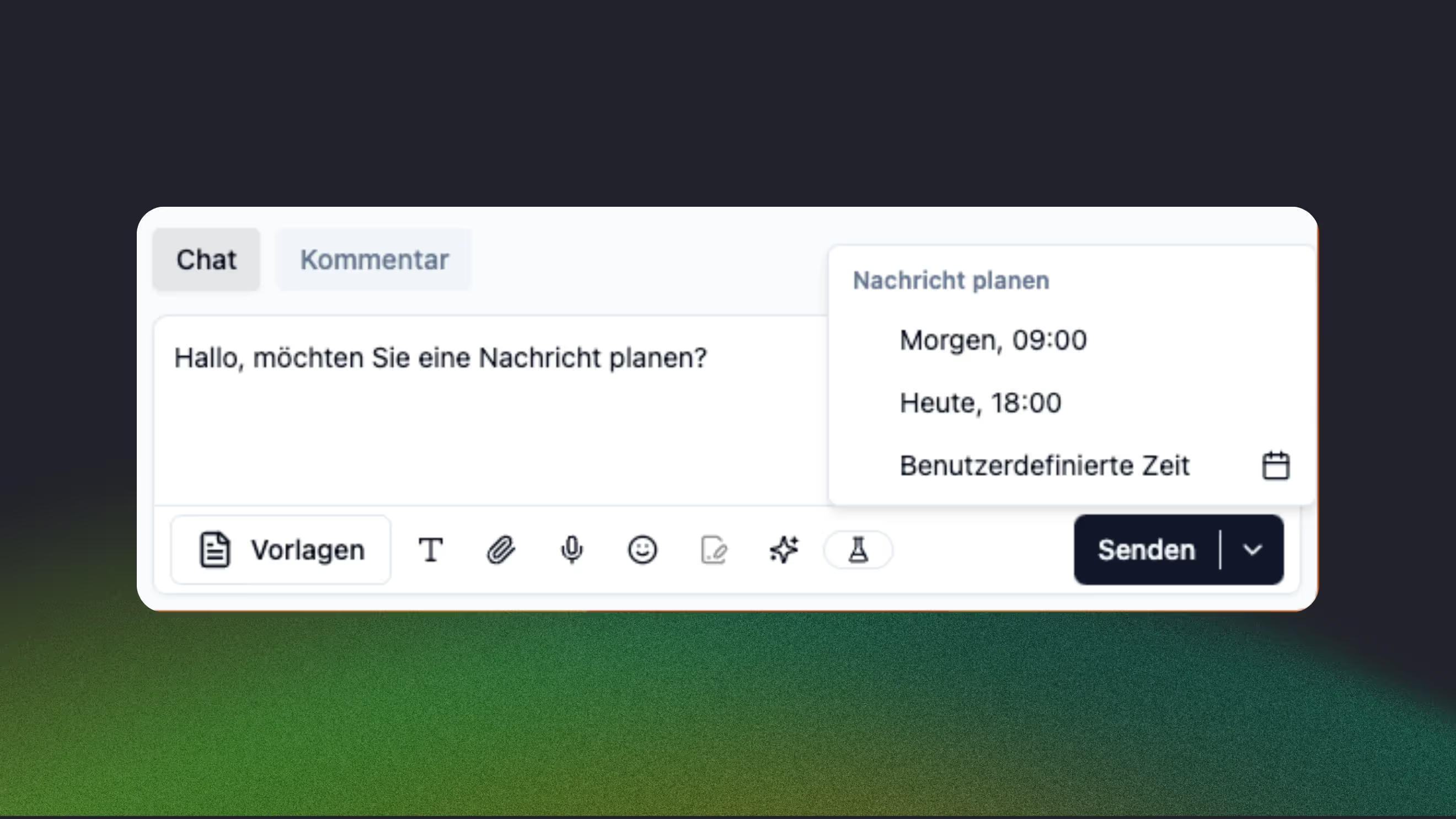
Use WhatsApp Business as a private person - additional tools, but no time-shifted messaging
WhatsApp Business is actually intended for companies, but private individuals can also use the app without proof.
Important to know:
Die WhatsApp business app provides not a native functionto schedule messages right away or send them automatically at a specific time.
What it offers instead:
- Absence messages → Automatic answers when you're not available right now.
- Welcome messages → Automatic messages sent to new contacts or after a long period of inactivity
- Quick answers → Ready-made text modules that you can retrieve manually.
These features can help speed up responses or respond automatically — but they replace not the targeted and individual time-delayed sending of a specific message.
example:
If someone writes to you while you're “unavailable,” the app can automatically send a message like “Thanks for your message! I'll get back to you soon” send. But you can't write a message today and have it sent out exactly tomorrow at 8:00 AM.
Conclusion: WhatsApp Business offers good tools for automations — but for real planning or “delayed sending,” you need third-party apps.
Schedule WhatsApp messages using third-party tools
Since WhatsApp Business does not offer an integrated scheduling function, there are a few simple workarounds to still send messages with a time delay. These solutions aren't perfect, but they can be a practical interim solution for smaller companies or individual entrepreneurs.
1. Skedit (Android only)
Skedit is an app that allows you to pre-schedule messages for various platforms, including WhatsApp. It allows you to write a message, set a time and send it automatically or with manual confirmation.
advantages:
- Easy setup without previous technical knowledge
- Free to use with basic functions
Disadvantages:
- Only works on Android
- The app must remain active in the background so that messages are sent
- Can't use official business features (such as templates or labels)
2. Blueticks (Chrome extension, desktop only)
Blueticks is an extension for the Google Chrome browser that allows you to schedule WhatsApp messages via WhatsApp Web. Users can write a message, choose a time and the extension takes care of sending it.
advantages:
- Works directly on WhatsApp Web, no additional app required
- Enables easy scheduling of messages
Disadvantages:
- The computer and browser must remain switched on
- Only works in combination with WhatsApp Web
- Can't be used with official WhatsApp business features such as quick replies or labels
3. Apple shortcuts (shortcuts, only for iOS)
iPhones have an automation feature called “shortcuts,” which can be used to automate certain processes, such as sending messages. Users can create a predefined message and set a time when it should be sent.
advantages:
- No additional app required, as the function is integrated directly into iOS
- Sure as it's an official iPhone feature
Disadvantages:
- Does not work completely automatically — users must confirm the shipment
- Restricted functions as complex automations are not possible
Conclusion on workarounds
These methods are easy ways to send WhatsApp business messages with a time delay. However, they are intended more for occasional use and quickly reach their limits. Especially for companies that want to implement regularly planned messages or larger marketing campaigns, these workarounds are not a long-term solution.
How to do it right: Plan and automate WhatsApp messages with the WhatsApp Business Platform for Companies
While workarounds such as Skedit or Blueticks offer only limited options, the WhatsApp Business Platform (also WhatsApp Business API called) a professional, scalable solution for companies. With this official WhatsApp interface, messages can not only be planned, but also sent completely automatically — without manual confirmation or opened apps.
How does the WhatsApp Business Platform work?
The WhatsApp Business Platform is designed for companies that need professional and automatable customer communication and marketing via WhatsApp. Access is exclusively via WhatsApp partners with access to the API interface, such as hellomateo. This allows messages to be sent automatically at specific times or based on customer interactions, and there are also countless other use cases for companies.
This automation results in numerous application options. We'll look at the two most important scenarios below:
- Schedule WhatsApp marketing newsletters
- Plan customer information in advance in a targeted manner and send it automatically

Schedule and send WhatsApp messages automatically
In addition to marketing newsletters, the scheduled sending of customer-related information one of the most important functions of WhatsApp Business Platform. Companies can prepare personalized messages and send them automatically at the right time.
What types of customer information can be planned?
Scheduled messages are particularly useful for:
- Appointment reminders & confirmations
- Medical practices, hair salons, or auto repair shops can send automatic reminders of appointments.
- example: “Hi Max, your hairdressing appointment is tomorrow at 15:00. If you need to cancel, reply with “cancellation” . ”
- Status updates & shipping notifications
- Online shops can automatically inform customers about the shipping status of their order.
- example: “Your order has just been shipped! 📦 Track your package here: [link]”
- Payment reminders & invoices
- Companies can send customers a reminder of outstanding invoices.
- example: “Reminder: The invoice for your order (#12345) is still pending. Please pay them by 10.03., to avoid reminder fees. ”
- Loyalty programs & customer loyalty
- Automatic messages can invite customers to join a loyalty program or offer discounts after a purchase.
- example: “Thank you for your purchase! 🎉 As a thank you, we'll give you a 10% discount on your next purchase. Redeem now: [link]”
Benefits of planned customer communication
- Fewer missed appointments & payment delays
- Better customer experience through quick & personal updates
- Increasing efficiency through fully automated processes
The planned sending of customer-related information not only ensures smooth communication, but also usually results in direct sales increases: through better customer loyalty, increased customer satisfaction, Upselling and cross-selling and through targeted follow-up offers and reminders.
Schedule WhatsApp messages and take advantage of many other benefits with hellomateo's WhatsApp Business Platform
With hellomateo and the WhatsApp Business Platform companies can inspire their customers with customer communication and marketing, maximize their sales and minimize internal workload. The VScheduling messages, integrations with thousands of other software applications, WhatsApp newsletter marketing, unlimited scalability and flexibility, automatic responses, GDPR compliance, etc. — the WhatsApp Business Platform has so much to offer. Just arrange a free consultationto find out all the details Our customers know the following benefits particularly appreciated:
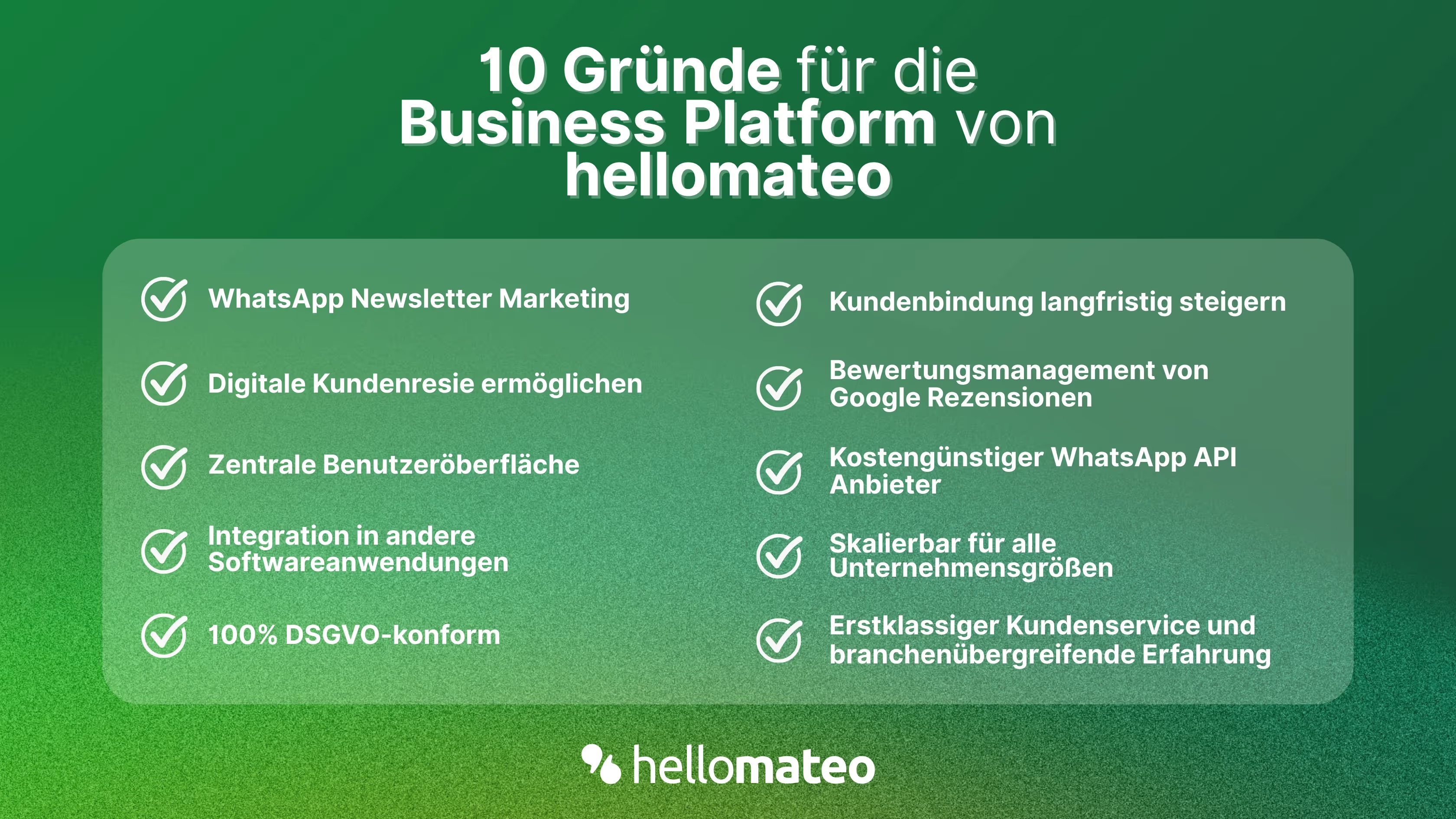
- Central user interface: hellomateo combines WhatsApp Business Platform, email, Instagram, SMS and Facebook Messenger in one central inbox. The intuitive user interface includes various tools for efficient customer communication and saves you valuable working time.
- integrations: With hellomateo, you can use WhatsApp in integrate over 6,000 software programs and fully automated Customer trips create with invitations, order confirmations, shipping information, invoices, and reminders.
- Newsletter marketing: Send GDPR-compliant Newsletter via WhatsApp or SMS and benefit from opening rates of over 95%.
- Assessment management: hellomateo can Automatically request online reviews from your customers, which boosts your Google ranking and trust in your company.
- Data protection: hellomateo meets all German and European Data protection requirements and offers end-to-end encryption for secure customer communication.
- scalability: Our software is suitable for Businesses of all sizes and can be extended indefinitely depending on the package.
- Diverse AI features: Our AI agent can automatically answer customer inquiries in chat, answer calls, help with the formulation of messages and much more.
Arrange a non-binding and free consultation and we'll show you how hellomateo covers your communication needs! Simply book an appointment here or write to us via our web widget.

About the author
Henri Hoepfner
SEO marketer
Henri Hoepfner ist bei hellomateo für Website und Content zuständig. Der studierte Wirtschaftsingenieur ist Mitarbeiter der ersten Stunde und kann dank seiner langjährigen Erfahrung wertvolles Wissen über verschiedene Themen wie WhatsApp API, Marketing, Kundenbindung und auch über branchenspezifische Problemstellungen in seinen Blogbeiträgen teilen.
More interesting articles
WhatsApp Business Data Processing Agreement— all information for companies
WhatsApp is an integral part of customer communication for many companies. High opening rates and quick responses make the channel attractive. But as soon as you use WhatsApp Business, you process personal data — and therefore there are clear GDPR requirements. In this article, you will find out what role the order processing contract plays and why it is indispensable for companies.

![Set up WhatsApp Business Auto Reply — Quick Guide [2025]](https://cdn.prod.website-files.com/68b19e5233a4641b9e2e4f95/692dd05228900f9fa9834bd4_whatsapp-automatische-antwort.avif)
Set up WhatsApp Business Auto Reply — Quick Guide [2025]
With automatic Reply messages Is there for them in the WhatsApp Business App provides a practical way to your customers in the digital chat channel automatically greet And in a flash one first reaction to show. Because day-to-day business is often stressful; you can't always respond personally to incoming messages and write back to the customer immediately.
But there are also many other reasons why it makes sense to use automatic reply messages when using the WhatsApp Business app. With this Quick guide Automatic answers are set up in a flash!
![Grüner Haken in WhatsApp – So bekommen Unternehmen die Verifizierung [Oktober 2025]](https://cdn.prod.website-files.com/68b19e5233a4641b9e2e4f95/692dcf56fb67605603b34297_gruener-haken.avif)
Grüner Haken in WhatsApp – So bekommen Unternehmen die Verifizierung [Oktober 2025]
WhatsApp hat eine neue Funktion eingeführt: Unternehmen können Ihr Konto verifizieren lassen und bei erfolgreicher Legitimation einen grünen Haken in dem WhatsApp Business Unternehmensprofil erhalten. Das sorgt für mehr Vertrauen bei Kaufinteressenten Ihres Unternehmens und steigert Ihre Umsätze! Zudem können Sie sich durch einen grünen Haken in WhatsApp Business von Ihren Wettbewerbern abheben. Doch wie funktioniert die Beantragung des beliebten Symbols? In diesem Beitrag zeigen wir es Ihnen!