Use Telegram Messenger in a web browser and desktop application
30.01.2026
Arrange a non-binding consultation now
In a non-binding conversation, we'll show you how to use messenger communication in compliance with GDPR, automate processes and achieve measurably more revenue and efficiency with WhatsApp. Clear, practical and tailored to your company.


The Telegram web version
Telegram Web is an extension of the Smartphone Telegram account in a computer's browser. The web version synchronizes all conversations in real time so that Telegram messages and files can be read and answered both on the mobile phone and in the browser of your PC or laptop. Telegram Web works with popular browsers such as Google Chrome, Firefox, and Microsoft Edge. The user interfaces of the conventional smartphone app and the browser version on a PC or laptop are very similar; there are no significant differences. The increased clarity due to the larger screen and typing on a standard keyboard makes communication with Telegram Web on a desktop device more efficient than with the smartphone app. The only requirement for Telegram Web and Desktop is an existing Telegram account on the smartphone.
Setting up the Telegram web version
To start setting up Telegram Web, you must the Telegram web website in the browser of a PC or laptop and open the Telegram app settings on your mobile phone. Your Telegram account is then linked either via QR code or mobile number.
Connect Telegram Web via QR code:
- Open the Telegram app settings on your smartphone
- Tap Settings and then tap Devices from the menu
- Select “Link desktop devices”
- Scan the code displayed on your PC or laptop with your smartphone
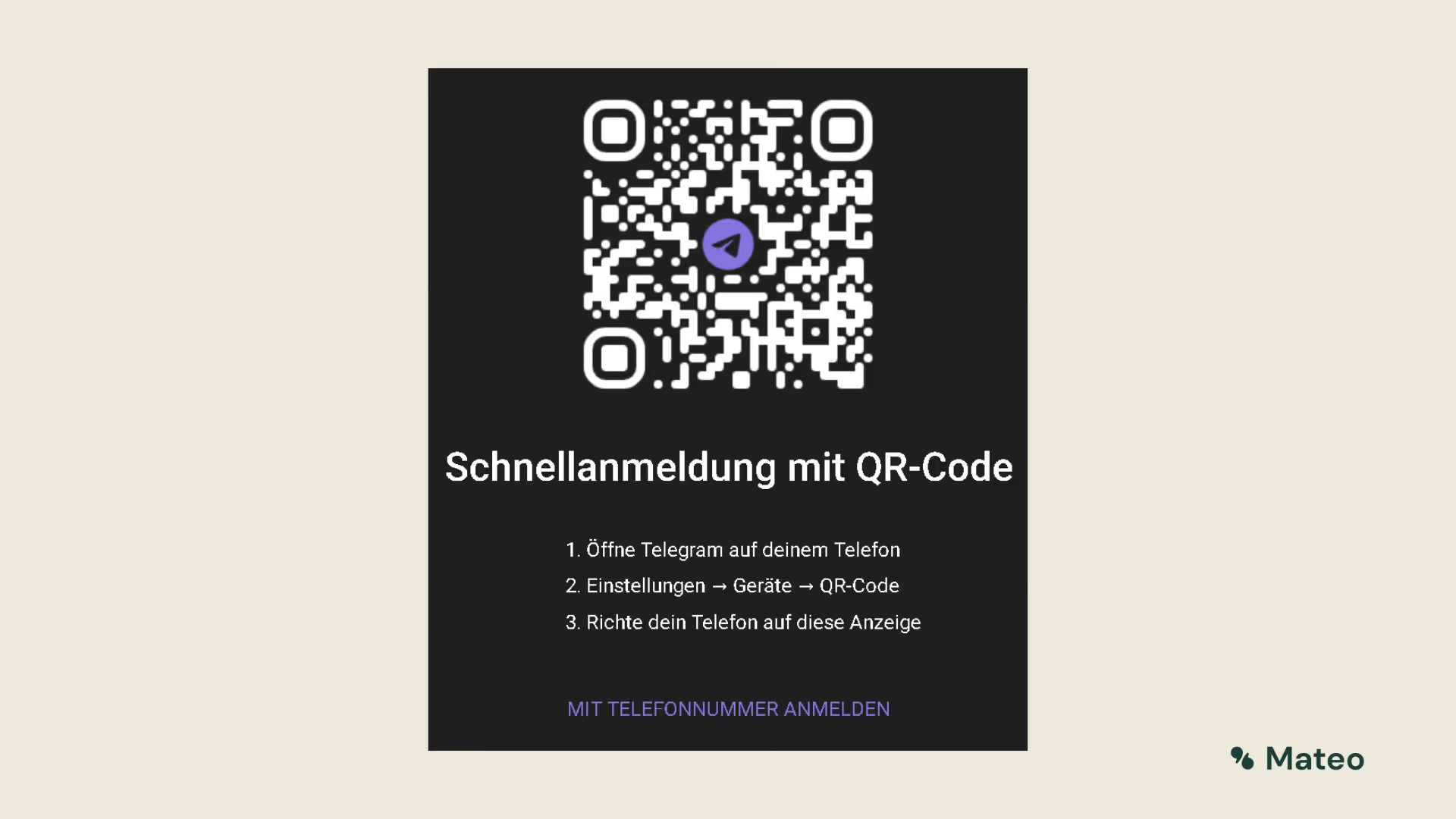
Connect Telegram Web via phone number:
In the browser of your PC or laptop, click on “Sign in with phone number” below the QR code
- Enter your mobile number linked to Telegram on your new device
- Wait a few moments for the verification code to appear on your smartphone
- Enter the code in the input box on the desktop device
Setting up the Telegram desktop application
Telegram's desktop application is available for both Windows, macOS and Linux operating systems and can be accessed directly via the Telegram website be downloaded and installed.
As soon as you have installed Telegram Desktop on your device, you log in again using a QR code or mobile number, just like the web version. Open the Telegram app settings on your phone and simply follow the setup process described in the previous paragraph.
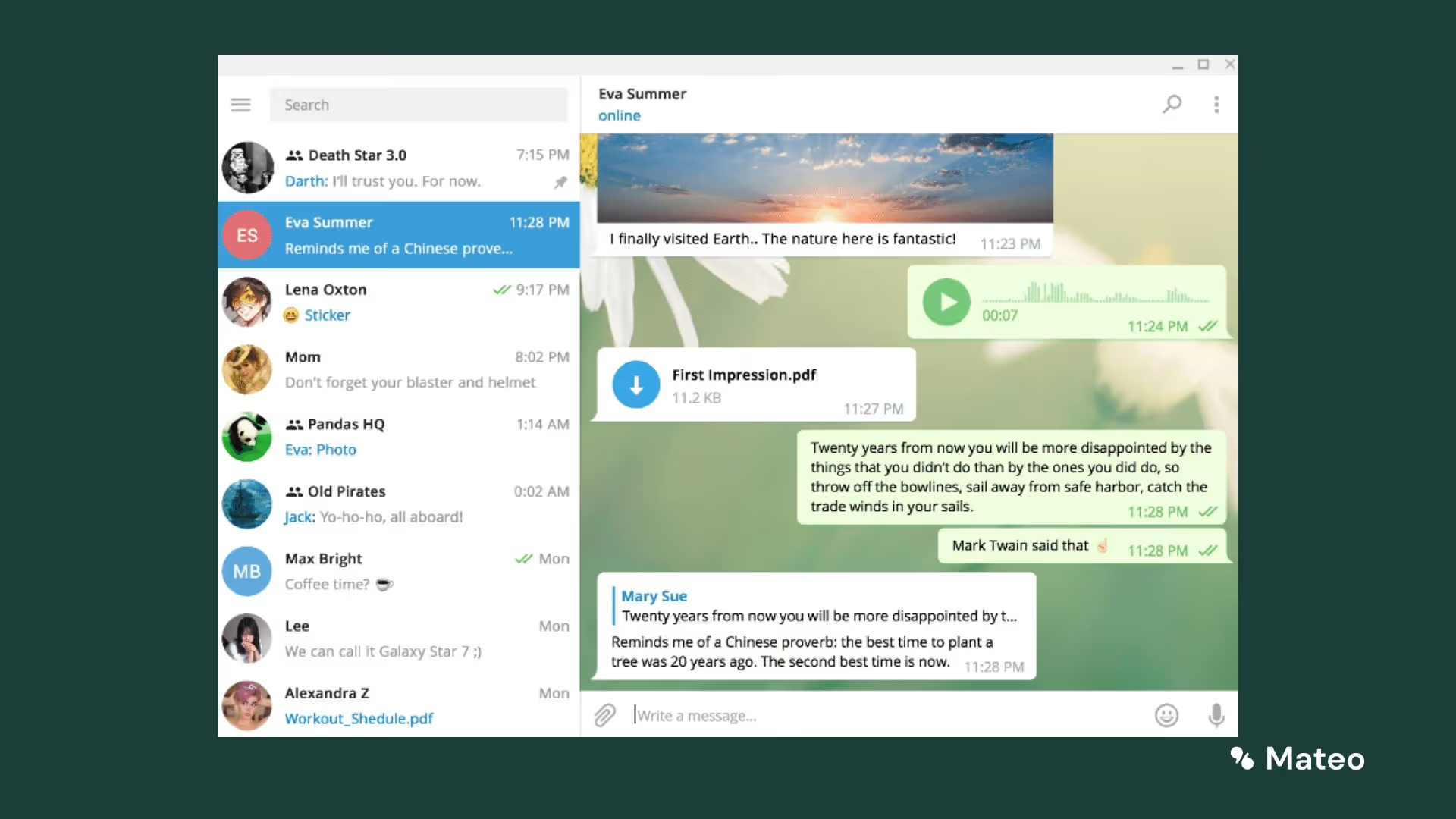
As soon as the setup is complete, all Telegram features can be used on the desktop or in the browser. If there is an Internet connection, all chats are synchronized with the smartphone. This applies to messages as well as to sent voice memos, files, surveys, and more. Thanks to the almost identical user interfaces, the use of Telegram Web and Desktop is very intuitive and usually without major changes of familiarization. To also make it easier for your customers to communicate via Telegram Chat, you can also create a so-called t.me permalink and convert it into a QR code. You can then either upload this code to your website as a contact option or print it out and place it in highly visible places in your shop. As soon as customers scan the code with their mobile phone, the t.me permalink redirects them directly to the Telegram chat with your company.
Functions and features of the hellomateo messenger software
If you are interested in using Telegram commercially within a fully comprehensive software for customer communication, you are welcome to do so in a free consultation address. Hellomateo ensures highly efficient and at the same time very personal customer service by integrating a number of communication channels into a central inbox, through message templates for the rapid processing of customer inquiries and the optional sending of newsletters and various other tools. In addition, the use of the hellomateo platform for companies by WhatsApp Business API technology In contrast to the standard version of WhatsApp, it is 100 percent GDPR-compliant. Know the range of the following features hellomateo's customers particularly appreciated:
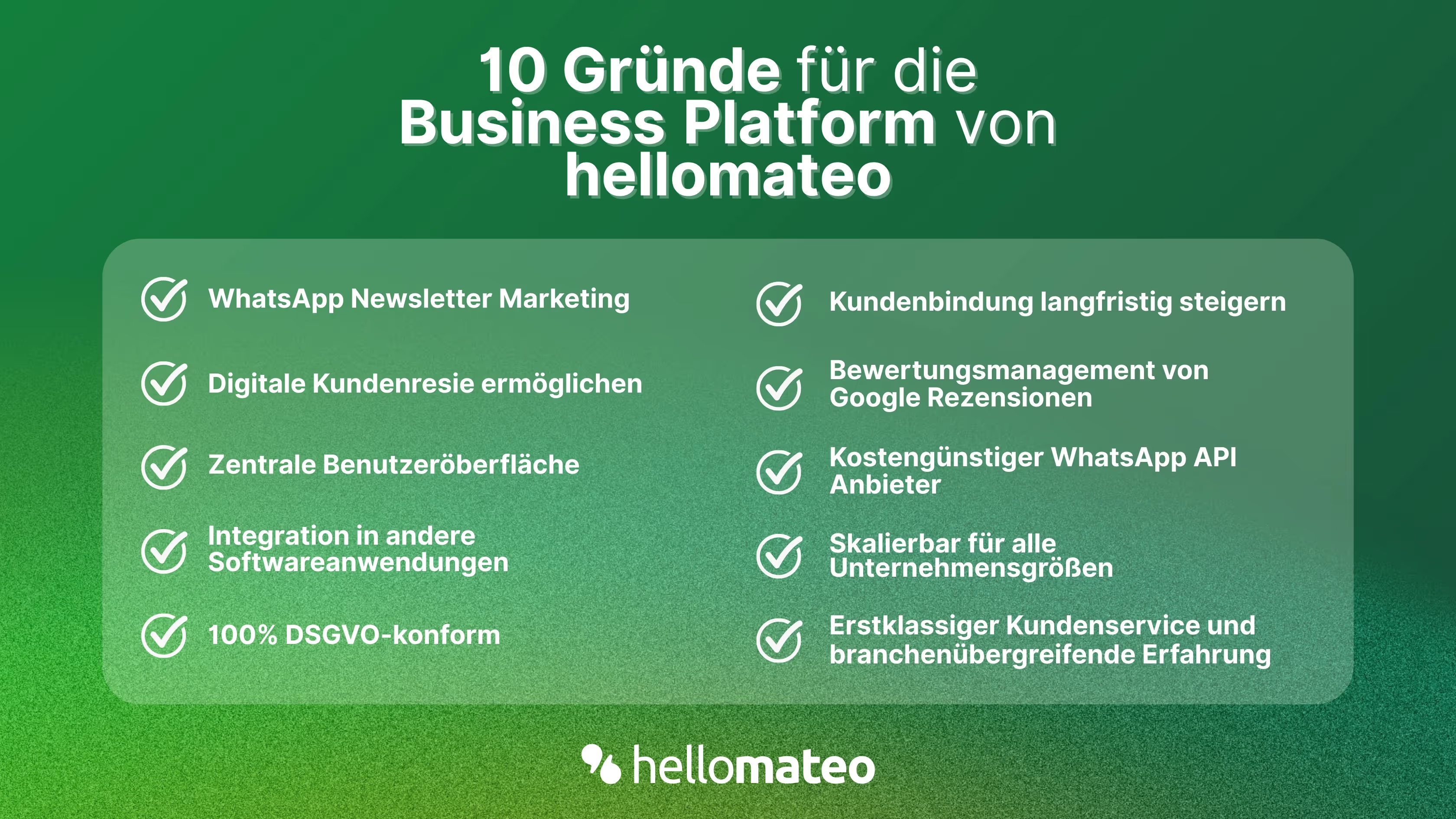
- Central user interface: hellomateo combines WhatsApp Business Platform, email, Instagram, SMS and Facebook Messenger in one central inbox. The intuitive user interface includes various tools for efficient customer communication and saves you valuable working time.
- integrations: With hellomateo, you can use WhatsApp in integrate over 6,000 software programs and fully automated Customer trips create with invitations, order confirmations, shipping information, invoices, and reminders.
- Newsletter marketing: Send GDPR-compliant Newsletter via WhatsApp or SMS and benefit from opening rates of over 95%.
- Assessment management: hellomateo can Automatically request online reviews from your customers, which boosts your Google ranking and trust in your company.
- Data protection: hellomateo meets all German and European Data protection requirements and offers end-to-end encryption for secure customer communication.
- scalability: Our software is suitable for Businesses of all sizes and can be extended indefinitely depending on the package.
- Diverse AI features: Our AI agent can automatically answer customer inquiries in chat, answer calls, help with the formulation of messages and much more.
Arrange a non-binding and free consultation and we'll show you how hellomateo covers your communication needs! Simply book an appointment here or write to us via our web widget.

About the author
Christian Strauch
Co-Founder and CEO
Christian Strauch is CEO and co-founder of hellomateo and is responsible for the strategic and operational management of the company. In his role, he is particularly responsible for sales, marketing and partners. Under his leadership, hellomateo has developed into a central tool for customer loyalty via WhatsApp, e-mail and letter for more than 2,000 companies.
More interesting articles
WhatsApp Business Data Processing Agreement— all information for companies
WhatsApp is an integral part of customer communication for many companies. High opening rates and quick responses make the channel attractive. But as soon as you use WhatsApp Business, you process personal data — and therefore there are clear GDPR requirements. In this article, you will find out what role the order processing contract plays and why it is indispensable for companies.
![Set up WhatsApp Business Auto Reply — Quick Guide [2025]](https://cdn.prod.website-files.com/68b19e5233a4641b9e2e4f95/692dd05228900f9fa9834bd4_whatsapp-automatische-antwort.avif)
Set up WhatsApp Business Auto Reply — Quick Guide [2025]
With automatic Reply messages Is there for them in the WhatsApp Business App provides a practical way to your customers in the digital chat channel automatically greet And in a flash one first reaction to show. Because day-to-day business is often stressful; you can't always respond personally to incoming messages and write back to the customer immediately.
But there are also many other reasons why it makes sense to use automatic reply messages when using the WhatsApp Business app. With this Quick guide Automatic answers are set up in a flash!

![Grüner Haken in WhatsApp – So bekommen Unternehmen die Verifizierung [Oktober 2025]](https://cdn.prod.website-files.com/68b19e5233a4641b9e2e4f95/692dcf56fb67605603b34297_gruener-haken.avif)
Grüner Haken in WhatsApp – So bekommen Unternehmen die Verifizierung [Oktober 2025]
WhatsApp hat eine neue Funktion eingeführt: Unternehmen können Ihr Konto verifizieren lassen und bei erfolgreicher Legitimation einen grünen Haken in dem WhatsApp Business Unternehmensprofil erhalten. Das sorgt für mehr Vertrauen bei Kaufinteressenten Ihres Unternehmens und steigert Ihre Umsätze! Zudem können Sie sich durch einen grünen Haken in WhatsApp Business von Ihren Wettbewerbern abheben. Doch wie funktioniert die Beantragung des beliebten Symbols? In diesem Beitrag zeigen wir es Ihnen!