Google Review Templates [August 2025]
01.08.2025
Arrange a non-binding consultation now
In a non-binding conversation, we'll show you how to use messenger communication in compliance with GDPR, automate processes and achieve measurably more revenue and efficiency with WhatsApp. Clear, practical and tailored to your company.


How do Google review templates work?
Google review templates are an effective tool to customers to encourage their opinion via your company online to share. These templates usually consist of a short, inviting text and a direct Link to the review page your company on Google. The key lies in simplicity and accessibility: One click and the customer can leave their review.
The advantage of templates is their adaptability. You can send the invitation to review your company in various formats such as emails, WhatsApp, on your website, or even in printed form in your store. Either as Hyperlink or as a QR code. By using a template, you ensure that the message remains consistent and increases the likelihood that customers will leave a review. The easy access combined with a friendly request makes it easy, quick and uncomplicated for the customer to provide feedback.
It is important to stress that authenticity and transparency should be central. Customers should never be pushed to write a review or be rewarded for positive reviews. Instead, the focus should be on honest and constructive feedback to encourage. Not only does this help gain the trust of potential customers, but it also provides valuable insights to continuously improve your offering and service. A slightly longer and at the same time precise text makes it easier for Google to analyze the rating and your undertakings for searches by specific users to put in the foreground.
How to create a link for Google reviews
Creating a link to Google reviews is a simple but effective step to motivate customers to leave a review. Here's a step-by-step guide to make this process easier:
- 1.: Google My Business: First, you need a Google My Business account. If you don't already have one, create one for free on the Google My Business website. This account allows you to manage your business information and is the basis for getting Google reviews.
- 2.: Access to Google company profile: Sign in with your Gmail account and navigate to your Google business profile.
- 3.: Select verified company: Select the company you'd like to receive reviews for It's important to verify that your company's status is shown as “confirmed.” Only verified companies can use the full range of Google My Business features.
- 4.: Share evaluation form: Scroll down to the “Get more reviews” section of your business profile. Here you'll find the “Share Evaluation Form” option. Clicking on this option will take you to the review link.
- 5.: Copy link: As soon as you have clicked on “Share review form,” you will be offered the option to copy the link. This link goes directly to your company's review page on Google.
- 6.: Test the link: Before you share the link, test it in a private browsing window to make sure it goes straight to the review page. For example, the review link from hellomateo looks like this and leads directly to the review: https://search.google.com/local/writereview?placeid=ChIJ803r8ulPqEcRpWlDDxbrU94
- 7.: Create QR code (optional): You can convert this review link into a QR code. QR codes have the advantage that users do not have to type out the link in printed form (e.g. as a notice in the shop), but can scan it with a smartphone and then go directly to the evaluation form. There are many free online tools that can turn a link into a QR code. If you use the Google Chrome browser, there is a useful feature: You can click on the three dots in the top right corner and then use the “save and share” function to create a QR code from the current website (i.e. your Google review page). This QR code can then be placed in your business premises, on printed matter or on your website, so that customers simply scan the code with their smartphone and go directly to the review page.
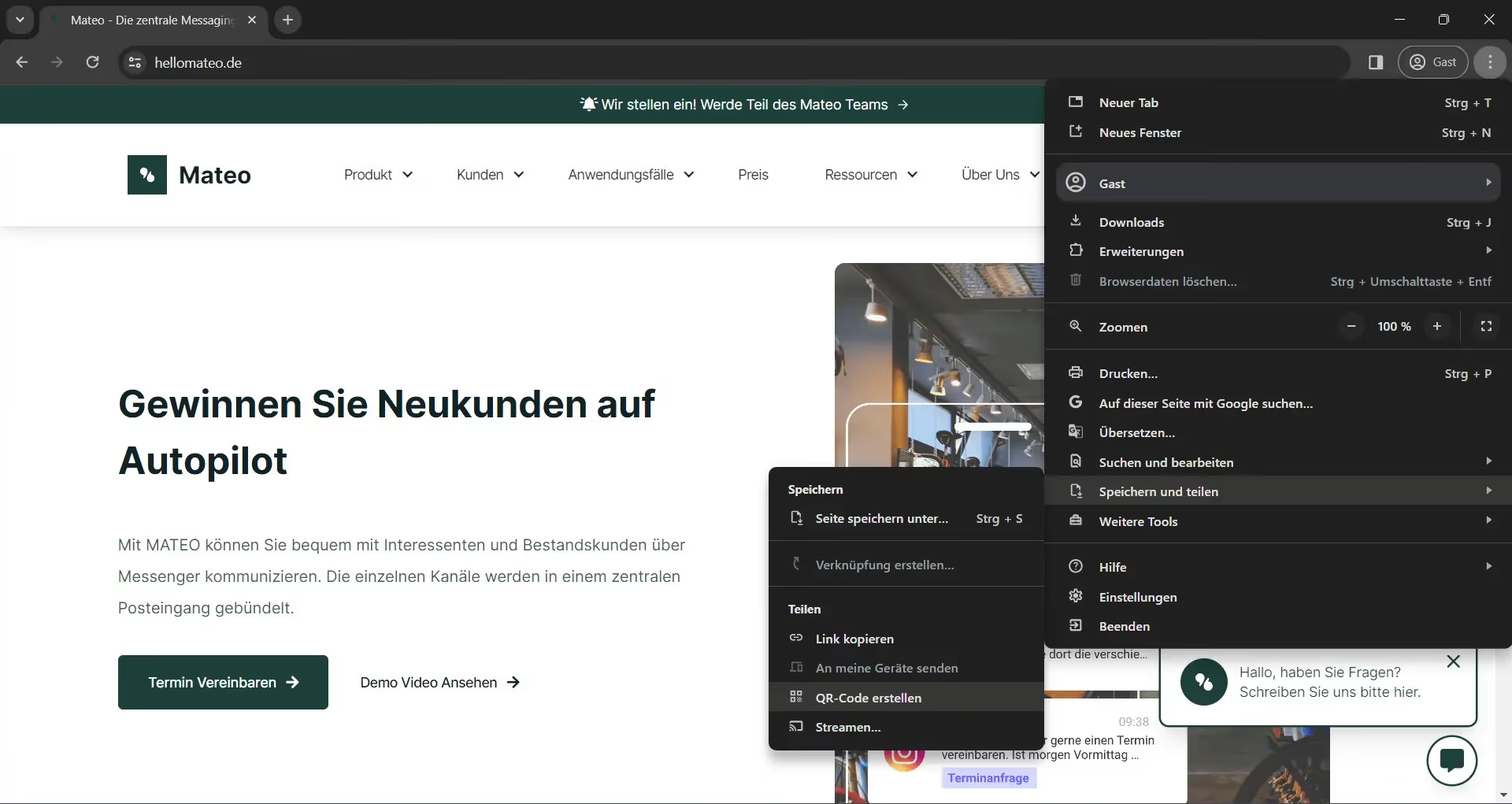
- 8.: Share the link or QR code: Integrate this link or QR code into your Google review templates. You can use it in emails, on your website, in social media posts, or in your store. Especially in a non-digital environment, such as on your sales floor, we recommend using the QR code
By making this link accessible, you lower the hurdle for customers to leave a review. A simple click or scan of the QR code takes them directly to the review page, where they can leave their feedback. Remember to keep the process as simple as possible to get a higher response rate.
Option 1: “Please rate us on Google” - template with QR code
Here's a template for how you could invite your customers to review your business on Google. The best way to use this template is with the created QR code.
Dear customers,
We hope you were happy with [your product/service/visit] to [your company name]. Your feedback is very important to us and we'd love it if you could take a moment to share your experience on Google.
Your feedback not only helps other customers make decisions, but also enables us to continuously improve our service.
To submit a review, simply scan the QR code below with your smartphone. This will take you directly to the [name of your company] review page on Google.
[QR code placeholder]
Thank you so much for your trust and support!
Best regards,
[Your team by name of your company]
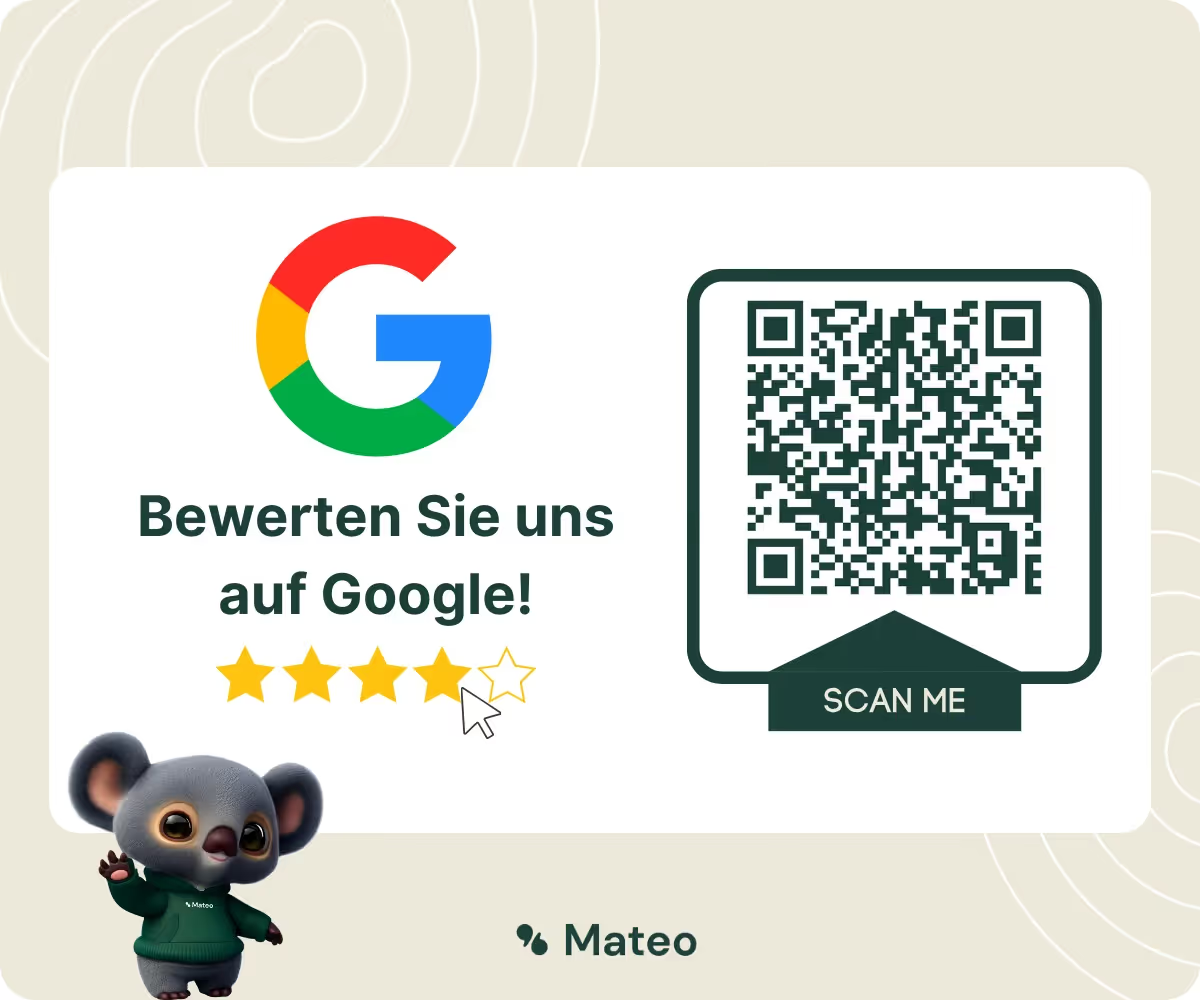
Option 2: Custom template — invite customers to a Google review with an individual message
1st template - After a purchase:
Dear [customer name],
Thank you for your recent purchase from [your company name]. We hope you're happy with [product/service] and would love it if you could share your experience on Google. Your feedback is very valuable to us and helps us to continuously improve our offerings.
Here is the link to our review page: [link or QR code]. Thank you so much for your support!
sincerely
Your team from [company name]
2nd template - After a service:
Hi [customer name],
Thank you for using [specific service] from [company name] We hope you're happy with the results. It would be great if you could share your thoughts on this on Google. Each review helps us improve our services and help other customers make their choice.
Please click here to leave a review: [link or QR code]. Thank you for your feedback!
Best regards
Your team from [company name]
3. Template - After a special event (e.g. event, workshop):
Dear participants of [event name],
We would like to thank you for participating in [event name]. It would be fantastic if you could share your impressions and experiences on Google. Your feedback is very important to us and helps us make future events even better.
You can access our review page here: [link or QR code]. Thanks for your time and feedback!
Kind regards
Your team from [company name]
4th template - After contact with customer service
Dear [customer name],
We hope that we were able to answer your request to your satisfaction. At [name of your company], we always strive to provide the best service possible, and your feedback plays a crucial role in that.
We'd really appreciate it if you could take a moment to share your customer service experience on Google. Your feedback not only helps us continue to improve our service, but also gives other customers valuable insights into our customer care.
Please use this link [link or QR code] to leave your review. Thank you very much for your time and honest feedback.
Best regards
Your customer service team from [company name]
5th template - For your long-term customers
By the way, this is what a Google rating request can look like if it is automated via WhatsApp API is shipped. The good thing about it: WhatsApp's personal user interface makes it highly likely that your customers will leave a review. And if you send this message to satisfied and long-standing customers, your average rating will also increase.

Better Google reviews with hellomateo's automated review management
Google reviews are a decisive factor for a company's success. With hellomateo's automated assessment management, you can make this process more efficient and effective. Here are a few key ways hellomateo can help you get better Google reviews:
- Automated assessment requests: hellomateo makes that possible automatic sending of evaluation requests after specific customer interactions. This ensures that your customers are addressed at the right time, increases the response rate and ensures up-to-date reviews.
- Integration with your CRM system: By integrating with your existing CRM system, hellomateo can send personalized evaluation requests based on specific customer interactions. This personalization increases the relevance and effectiveness of the requests.
- Optimizing customer communication: hellomateo not only helps to generate reviews, but also to optimize your entire customer communication. This results in an improved customer experience, which in turn has a positive effect on the quality of reviews.
By using hellomateo for your review management, you can not only Number of your Google reviews increase, but also their quality or Improve average rating. This results in a stronger online presence, more interested new customers, better search engine rankings and, ultimately, a growing customer base. And this is just a secondary feature of hellomateo's messaging tool, which bundles all common communication channels in a central inbox. Hellomateo is not only scalable for all company sizes and, in contrast to WhatsApp Business, is 100 percent GDPR-compliant, but also a low-cost provider of WhatsApp API integrations. Please feel free to arrange a free consultation.

We at hellomateo are your messaging experts when it comes to customer communication. Hundreds of companies are already using hellomateo and are impressed. Our customers particularly appreciate the following benefits:
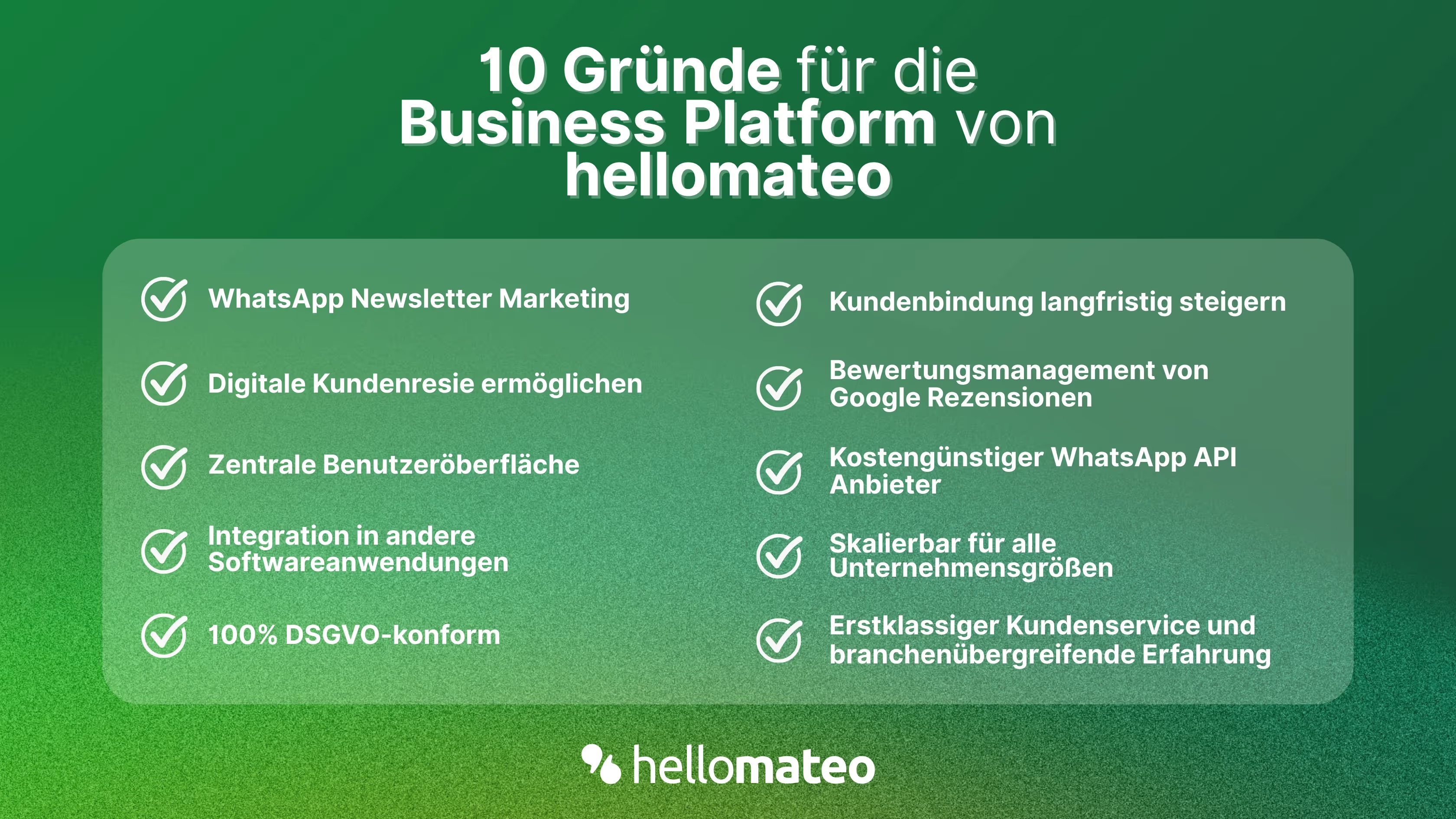
- Central user interface: hellomateo combines WhatsApp Business Platform, email, Instagram, SMS and Facebook Messenger in one central inbox. The intuitive user interface includes various tools for efficient customer communication and saves you valuable working time.
- integrations: With hellomateo, you can use WhatsApp in integrate over 6,000 software programs and fully automated Customer trips create with invitations, order confirmations, shipping information, invoices, and reminders.
- Newsletter marketing: Send GDPR-compliant Newsletter via WhatsApp or SMS and benefit from opening rates of over 95%.
- Assessment management: hellomateo can Automatically request online reviews from your customers, which boosts your Google ranking and trust in your company.
- Data protection: hellomateo meets all German and European Data protection requirements and offers end-to-end encryption for secure customer communication.
- scalability: Our software is suitable for Businesses of all sizes and can be extended indefinitely depending on the package.
- Diverse AI features: Our AI agent can automatically answer customer inquiries in chat, answer calls, help with the formulation of messages and much more.
Arrange a non-binding and free consultation and we'll show you how hellomateo covers your communication needs! Simply book an appointment here or write to us via our web widget.

About the author
Henri Hoepfner
SEO marketer
Henri Hoepfner ist bei hellomateo für Website und Content zuständig. Der studierte Wirtschaftsingenieur ist Mitarbeiter der ersten Stunde und kann dank seiner langjährigen Erfahrung wertvolles Wissen über verschiedene Themen wie WhatsApp API, Marketing, Kundenbindung und auch über branchenspezifische Problemstellungen in seinen Blogbeiträgen teilen.
More interesting articles
WhatsApp Business Data Processing Agreement— all information for companies
WhatsApp is an integral part of customer communication for many companies. High opening rates and quick responses make the channel attractive. But as soon as you use WhatsApp Business, you process personal data — and therefore there are clear GDPR requirements. In this article, you will find out what role the order processing contract plays and why it is indispensable for companies.

![Set up WhatsApp Business Auto Reply — Quick Guide [2025]](https://cdn.prod.website-files.com/68b19e5233a4641b9e2e4f95/692dd05228900f9fa9834bd4_whatsapp-automatische-antwort.avif)
Set up WhatsApp Business Auto Reply — Quick Guide [2025]
With automatic Reply messages Is there for them in the WhatsApp Business App provides a practical way to your customers in the digital chat channel automatically greet And in a flash one first reaction to show. Because day-to-day business is often stressful; you can't always respond personally to incoming messages and write back to the customer immediately.
But there are also many other reasons why it makes sense to use automatic reply messages when using the WhatsApp Business app. With this Quick guide Automatic answers are set up in a flash!
![Grüner Haken in WhatsApp – So bekommen Unternehmen die Verifizierung [Oktober 2025]](https://cdn.prod.website-files.com/68b19e5233a4641b9e2e4f95/692dcf56fb67605603b34297_gruener-haken.avif)
Grüner Haken in WhatsApp – So bekommen Unternehmen die Verifizierung [Oktober 2025]
WhatsApp hat eine neue Funktion eingeführt: Unternehmen können Ihr Konto verifizieren lassen und bei erfolgreicher Legitimation einen grünen Haken in dem WhatsApp Business Unternehmensprofil erhalten. Das sorgt für mehr Vertrauen bei Kaufinteressenten Ihres Unternehmens und steigert Ihre Umsätze! Zudem können Sie sich durch einen grünen Haken in WhatsApp Business von Ihren Wettbewerbern abheben. Doch wie funktioniert die Beantragung des beliebten Symbols? In diesem Beitrag zeigen wir es Ihnen!