Using WhatsApp Business with Multiple Employees — Instructions [August 2025]
13.08.2025
Arrange a non-binding consultation now
In a non-binding conversation, we'll show you how to use messenger communication in compliance with GDPR, automate processes and achieve measurably more revenue and efficiency with WhatsApp. Clear, practical and tailored to your company.


How to set up WhatsApp Business for multiple employees
Instructions: Set up WhatsApp Business on multiple employee smartphones
Follow the described stepsTo use the WhatsApp business account on several employee smartphones at the same time:
- 1.: First, you need to make sure that you have the Latest version The WhatsApp business app Installed on all devices on which you want to use the account.
- 2.: Open the app on your main device and go to”Takes“>”Linked devices”. On some devices, the “Linked Devices” selection is also displayed directly as a menu item next to the “Settings.”
- 3rd: scanning You the QR codeWhich is displayed on the screen, with your other device.
- 4.: As soon as you have scanned the QR code, your WhatsApp business account will automatically On the Another device activated.
- 5th: Retry Do this process for all employees' smartphones on which the account is to be used. Die Maximum number Is currently on 4 devices limited.
Instructions: Set up WhatsApp Business on Your Employees' Desktops or Laptops
Setup with Windows operating system
Die Windows desktop application Must start from the Microsoft Store downloaded. The desktop application only works with Windows 8.1 or higher operating system.
Once the application is downloaded, it must be launched and the setup process must be performed. After a while, a QR code also appears here. As a result The following steps To be taken:
- 1st: WhatsApp Business app On the smartphone open
- 2nd: That menu (Android) or the Takes (iOS) open
- 3rd:”Add deviceSelect “to open the QR Code Scanner
- 4th: The QR code On the computer screen scan
Setup with macOS operating system
WhatsApp desktop Can also be used on Apple computers Be installed. The application can be accessed via Downloaded this download link from WhatsApp become (source: whatsapp.com/download), where the Identical setup With the Windows app is.
Download the application, launch it, and complete the setup process. After a while, a QR code appears. The following steps must then be taken:
- 1st: WhatsApp Business app On the smartphone open
- 2nd: That menu (Android) or the Takes (iOS) open
- 3rd:”Add deviceSelect “to open the QR Code Scanner
- 4th: The QR code On the computer screen scan
In this way, WhatsApp Desktop can be used by several employees on both Windows and macOS devices.
Tip: To remove linked WhatsApp multi-device devices from your employees, you must select the corresponding employee's device to remove under the “Linked Devices” menu item in WhatsApp settings and then click on “Sign out.”
Use WhatsApp Business Premium with multiple employees
For a few months now, WhatsApp has been providing additional features to some selected companies with the premium version. WhatsApp Premium Can after the free 30-day trial period chargeable Be subscribed. However, this function has been so far Only for Android users and only in certain countries available. On the WhatsApp homepage Can you find out about the current availability of WhatsApp Business Premium. With WhatsApp Premium, instead of a maximum of 5 employees or devices (1 main device + 4 additional devices), you can now Up to 10 employees the same WhatsApp account use. With WhatsApp Premium, it is even possible to see which employee sent which message. Chats can also be assigned to the responsible employees. WhatsApp Premium thus offers some additional features, but WhatsApp newsletter marketing and an unlimited number of users, devices and numbers as with WhatsApp API Are not available. In addition, WhatsApp Premium not GDPR-compliant.
Benefits of WhatsApp Business with Multiple Employees
Larger volume of messages in customer communication
By using WhatsApp Business with multiple employees, companies can significantly increase the efficiency of their customer communications. As a result of Several employees at the same time Be able to answer incoming customer inquiries, Boosts The Capacity suddenly.
Improved customer service through fast response times
WhatsApp Business gives companies a great way to interact with customers and give them a Fast and personal customer service to offer. By having several employees available at the same time, you can offer your customers shorter response times and thus an even higher quality service.
Flexibility and mobility
Since WhatsApp Business is on from Several employees even on multiple devices Can be used at the same time, it offers companies the flexibility and mobility they need to work effectively on the go. Employees can also Outside the Office Communicate and be available for customer inquiries, which increases efficiency and productivity.
A number of other benefits with the WhatsApp Business API
WhatsApp also offers an API interface that allows companies to use a professional communication solution using third-party software such as Mateo. WhatsApp's API is the only solution that allows businesses to Use WhatsApp in a GDPR-compliant mannerto connect an unlimited number of phone numbers and employees and to conduct highly effective WhatsApp newsletter marketing. With the WhatsApp Business API, integrations with other tools and systems can be easily created and thus further improve the effectiveness of your communication.
Use WhatsApp Business with an unlimited number of employees, devices, and phone numbers via the WhatsApp API
About the WhatsApp API interface From Mateo, you can use your WhatsApp corporate account with any number of employees and an unlimited number of devices. Even the number of phone numbers you can link to your WhatsApp business account is unlimited.
In addition, the WhatsApp Business API is the only way to use WhatsApp for customer communication in a GDPR-compliant manner.
Reading tip: In our article”WhatsApp Business GDPR“We have summarized all the background information and explain why WhatsApp Business is not compatible with the GDPR.
Mateo's WhatsApp API interface also offers many other benefits and revolutionizes your customer communication in dozens of aspects:
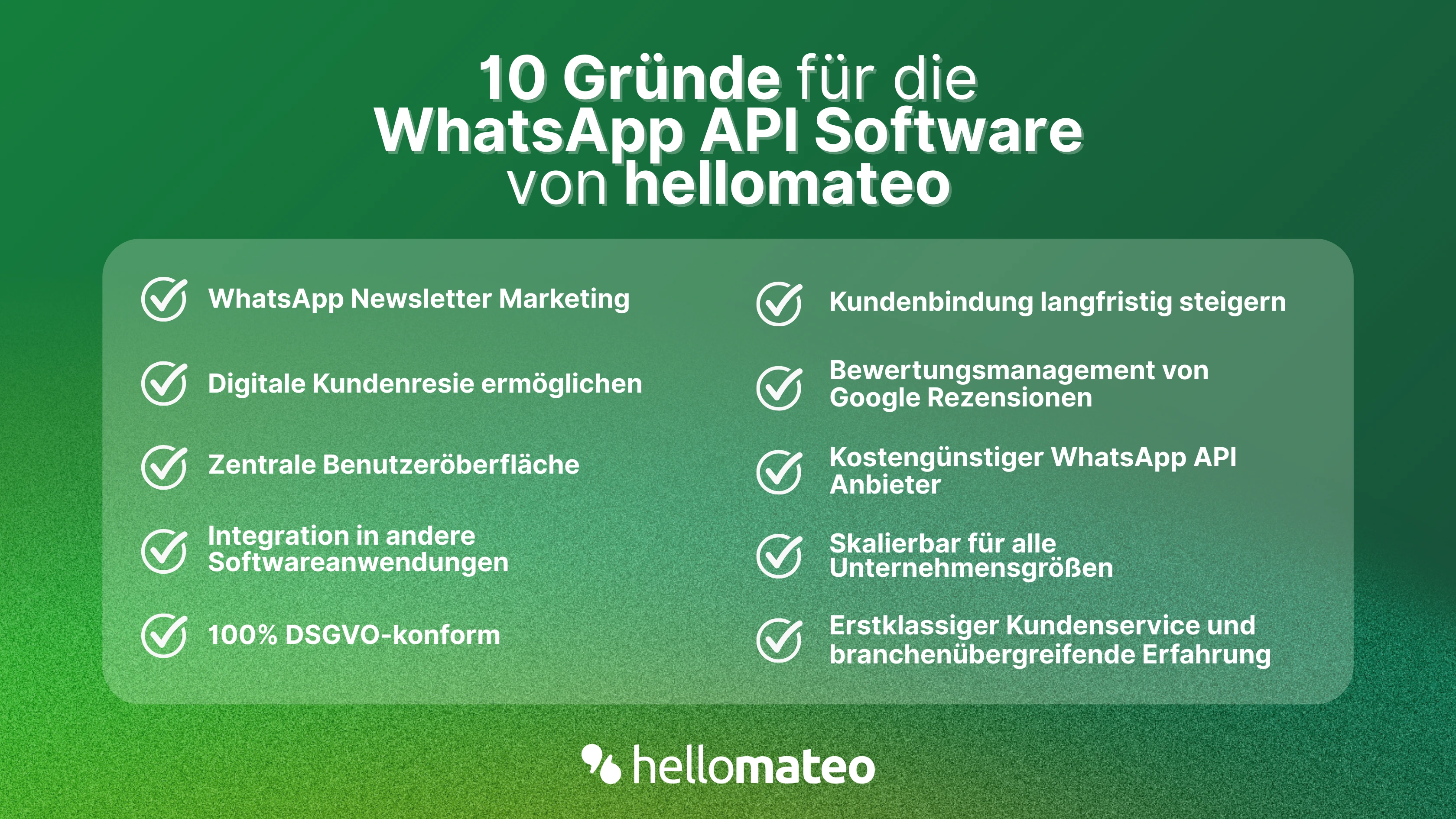
- Central user interface: hellomateo combines WhatsApp Business Platform, email, Instagram, SMS and Facebook Messenger in one central inbox. The intuitive user interface includes various tools for efficient customer communication And saves you valuable working time.
- integrations: With hellomateo, you can use WhatsApp in Integrate over 6,000 software programs and fully automated Customer trips Create with invitations, order confirmations, shipping information, invoices, and reminders.
- Newsletter marketing: Send GDPR-compliant Newsletter via WhatsApp Or SMS and benefit from opening rates of over 95%.
- Assessment management: hellomateo can Automatically request online reviews from your customers, which boosts your Google ranking and trust in your company.
- Data Protection: hellomateo meets all German and European Data protection requirements and offers end-to-end encryption for secure customer communication.
- scalability: Our software is suitable for Businesses of all sizes And can be extended indefinitely depending on the package.
- Various AI features: Our AI agent Can automatically answer customer inquiries in chat, answer calls, help with the formulation of messages and much more.
Arrange a non-binding and free consultation And we'll show you how Hellomateo covers your communication needs! Simply book an appointment here Or write to us via our web widget.

About the author
Leonie Cecilie Schlüter
marketing manager
Leonie Cecilie Schlüter is a marketing manager at hellomateo, comes from near Husum and is therefore one of the few northern lights on our team. She studied and worked in London for many years and worked in various industries. In addition to companies in the fashion, pharmaceutical, design and events sectors, she has also worked in a social media agency. Leonie is therefore not only familiar with the industries of many hellomateo customers, but also with the usual challenges faced by SMEs in the marketing sector. At hellomateo, she is responsible for planning trade fairs, social media and branding.
More interesting articles
WhatsApp Business Data Processing Agreement— all information for companies
WhatsApp is an integral part of customer communication for many companies. High opening rates and quick responses make the channel attractive. But as soon as you use WhatsApp Business, you process personal data — and therefore there are clear GDPR requirements. In this article, you will find out what role the order processing contract plays and why it is indispensable for companies.

![Set up WhatsApp Business Auto Reply — Quick Guide [2025]](https://cdn.prod.website-files.com/68b19e5233a4641b9e2e4f95/692dd05228900f9fa9834bd4_whatsapp-automatische-antwort.avif)
Set up WhatsApp Business Auto Reply — Quick Guide [2025]
With automatic Reply messages Is there for them in the WhatsApp Business App provides a practical way to your customers in the digital chat channel automatically greet And in a flash one first reaction to show. Because day-to-day business is often stressful; you can't always respond personally to incoming messages and write back to the customer immediately.
But there are also many other reasons why it makes sense to use automatic reply messages when using the WhatsApp Business app. With this Quick guide Automatic answers are set up in a flash!

![Grüner Haken in WhatsApp – So bekommen Unternehmen die Verifizierung [Oktober 2025]](https://cdn.prod.website-files.com/68b19e5233a4641b9e2e4f95/692dcf56fb67605603b34297_gruener-haken.avif)
Grüner Haken in WhatsApp – So bekommen Unternehmen die Verifizierung [Oktober 2025]
WhatsApp hat eine neue Funktion eingeführt: Unternehmen können Ihr Konto verifizieren lassen und bei erfolgreicher Legitimation einen grünen Haken in dem WhatsApp Business Unternehmensprofil erhalten. Das sorgt für mehr Vertrauen bei Kaufinteressenten Ihres Unternehmens und steigert Ihre Umsätze! Zudem können Sie sich durch einen grünen Haken in WhatsApp Business von Ihren Wettbewerbern abheben. Doch wie funktioniert die Beantragung des beliebten Symbols? In diesem Beitrag zeigen wir es Ihnen!