WhatsApp Ads: Everything you need to know about click-to-WhatsApp ads [March 2025]
21.03.2025
Arrange a non-binding consultation now
In a non-binding conversation, we'll show you how to use messenger communication in compliance with GDPR, automate processes and achieve measurably more revenue and efficiency with WhatsApp. Clear, practical and tailored to your company.


What are WhatsApp ads or click-to-WhatsApp ads?
You cannot place ads in the WhatsApp app. Therefore, the term “WhatsApp Ads” refers to so-called click-to-WhatsApp ads, which take users directly to the WhatsApp chat with the company with one click. Click-to-WhatsApp ads are similar to Facebook and Instagram ads, which have a “send message” button. However, instead of taking the consumer to the messaging area of the respective advertising platform (e.g. Facebook or Instagram), these ads open a chat in WhatsApp.
Here is an example of what a click-to-WhatsApp ad extended with a QR code looks like. Scanning is optional, just click on the image:

Why should you run WhatsApp ads or click-to-WhatsApp ads?
Click-to-WhatsApp ads are still new to most marketers and advertisers. But here are a few reasons why we at hellomateo believe it's a promising channel that innovative companies should use:
Considering that there are over 60 million WhatsApp users in Germany, the majority of your target group (regardless of which industry you work in or what you sell) is most likely using this messaging platform. If you sell internationally, you can even target the 2 billion WhatsApp users around the world. Studies have found that over 55% of people feel more connected to a brand when they use messaging apps like WhatsApp to communicate. Here are some more facts from the studies (sources: invespcro.com, sendpulse.com)
- Customers want to send companies messages and interact with them before making a purchase. 38% of consumers say they make a purchase after a good chat session with a company.
- Chatters spend 60% more per purchase than non-chatters.
- Maintaining a conversational relationship with customers helps to increase customer loyalty and is therefore 5-25 times cheaper than the acquisition.
- An average user opens the WhatsApp app over 30 times a day.
- Companies can recover up to 60% of abandoned purchases through WhatsApp marketing campaigns and automatic reminders.
- WhatsApp newsletter have an opening rate of over 95%.
When companies look at WhatsApp usage and campaign performance across the customer journey, it's often clear why combining strategies for social media ads and WhatsApp marketing is the key to more conversions in a competitive market.
Different ways to use WhatsApp ads for your business
There are a number of ways click-to-WhatsApp marketing campaigns are used in social media ads. Here are a few ways you can use WhatsApp Ads:
1. Promote your WhatsApp Business product/service catalog
If you are an e-commerce company that WhatsApp Business API , you have probably set up a catalog in your WhatsApp Business profile that shows the products/services you offer. You can promote this catalog via Facebook and Instagram ads, for example, with a special offer that can only be used through the WhatsApp message template stored in the Click-to-WhatsApp ad.
2. Accept pre-orders and appointments
For products and services, you can also request pre-orders and appointment bookings via click-to-WhatsApp ads. It's a much more effective way to spark consumer intent and interest in a product or service, share details about it, and initiate sales through conversations.
3. Provide shopping assistance
If you offer a new type of product or service, or if you often need help with certain products/services, click-to-WhatsApp ads are ideal. Use your social media marketing to promote the product. And instead of directing the consumer to your website, take them to WhatsApp chat with your company to offer help. As soon as the feature is activated in Germany, you can even complete the sale via WhatsApp Commerce!
4. Win back customers with abandoned shopping carts
Many companies have set up retargeting ads on social media to win back customers with abandoned shopping carts. But what if you didn't bring the visitor back to the page they left your site from, but start a conversation instead? Use click-to-WhatsApp ads to understand the cancellations, offer help, and send product recommendations to secure sales!
5. Accept customization orders
If you're in the area of product customization or service on demand, WhatsApp conversations can result in a higher conversion rate for you. Instead of letting your customers go through the options available on your social media page or website, you can start a conversation with click-to-WhatsApp ads. Lead the conversation with predefined questions and choices by using the various features of interactive messages available through the WhatsApp Business API.
6. Use WhatsApp Ads as an opt-in for WhatsApp newsletter marketing
Click-to-WhatsApp ads are great for Opt-ins (registrations) for your WhatsApp marketing newsletter collect. If necessary, you can use special discount codes and offers to increase the motivation of interested parties to opt in.
Put simply, there isn't one way to use click-to-WhatsApp ads. You can use WhatsApp Ads in a variety of ways to capture consumer intent and customer data, build a subscriber list, retain customers, and grow your business!
However, in order to set up click-to-WhatsApp ads, you'll need to do some basics.
Requirements for setting up WhatsApp ads on Facebook and Instagram
1. Set up a WhatsApp Business account
The very first step to getting started with WhatsApp Ads is to set up a WhatsApp Business account. To do this, you can either use the WhatsApp Business app or, if you want to take full advantage of all the benefits of customer communication and marketing via WhatsApp, contact a provider of WhatsApp Business API solutions such as hellomateo.
Attention: The normal WhatsApp business app is not GDPR-compliant. The only way for companies to use WhatsApp in accordance with applicable data protection regulations is to WhatsApp API interface. This saves you the frequent warnings, severe penalties and expensive legal costs against you and your company if you do not comply with the GDPR.
2. Add a WhatsApp business number to your Facebook business profile
Once you've created your WhatsApp Business account, the next step is to connect it to your Facebook account. This will also automatically connect it to your Instagram account, which should already be linked to your Facebook page. This is a mandatory step and can be done in your company page settings.
Follow these short instructions:
- Go to the Facebook business page
- Click “Settings.”
- In the left-hand menu, click WhatsApp
- Select your country code
- Enter your WhatsApp number and click “Send Code.”
- Enter your OTP to confirm the number.
Once you've made the settings above, you can create click-to-WhatsApp ads for your business.
Create WhatsApp ads and automatically process inquiries with hellomateo
Various companies have already found that adding WhatsApp as a communication channel with their customers has helped significantly improve the customer experience and drastically increase engagement, customer loyalty, conversion rates, customer lifetime value, and revenue. We will now show you how you can create WhatsApp ads and professionally process incoming inquiries with hellomateo.
1. Define your goals
Just as with normal social media ads, you should have a clear business goal in mind before you set up WhatsApp ads. This could be increasing brand awareness, generating more leads, increasing customer engagement, collecting customer feedback, qualifying leads, and so on.
2. Create a WhatsApp QR code and a WhatsApp link
With a WhatsApp QR Code Generator, you can quickly create a QR code to make your ad appealing and enable contact even for desktop users without WhatsApp Web. You can store the wa.me link behind it in the call-to-action button, which allows users to access the WhatsApp chat with your company with one click. In our generator, you can even define pre-formulated messages that are stored with the WhatsApp link.
3. Prepare your ad copy and graphics
The next step is to prepare your ad copy and graphics for the campaign. We recommend that you create at least two versions of your advertising campaigns to attract users through variety and prevent lower conversion rates. Remember to make your ad copy crystal clear and meaningful and your ad graphics appealing.
4. Publish your WhatsApp ads
Now you can finally publish your Click-to-WhatsApp ad. Use the platform of your choice to do so. The following guide is tailored for Facebook Ads.
- Open the Facebook ad manager and go to the “Ad creation” section
- Set the budget for your campaign
- Select “Click to Message” for ad type
- Under “Messaging apps,” select “WhatsApp.”
- Define placement, target audience, and timeline
- Select the ad format
- Click “Create” and create a dialog
- Post the ad
5. Manage incoming customer inquiries on WhatsApp with hellomateo
The hellomateo software offers customizable message templates and automated answers on WhatsApp, which can be used to process customer inquiries highly efficiently. You can also make internal notes and employee assignments. w hellomateos central inbox By the way, not only WhatsApp is included, but also Facebook and Instagram messages, SMS and e-mail. With the integrated contact management Keep an overview of your customers and can divide your customers into segments and assign attributes. With hellomateo and the WhatsApp newsletter You can also do particularly successful marketing, increase your sales and thus ensure the company's success in the long term. Hellomateo uses the WhatsApp API interface and is therefore 100% GDPR-compliant, in contrast to the normal WhatsApp business app.
hellomateo has much more to offer than just WhatsApp ads
With hellomateo and the WhatsApp Business Platform companies can inspire their customers with customer communication and marketing, maximize their sales and minimize internal workload. integrations with thousands of other software applications, WhatsApp newsletter marketing, unlimited scalability and flexibility, automatic responses, GDPR compliance, etc. — the WhatsApp Business Platform has so much to offer. Just arrange a free consultationto find out all the details Our customers know the following benefits particularly appreciated:
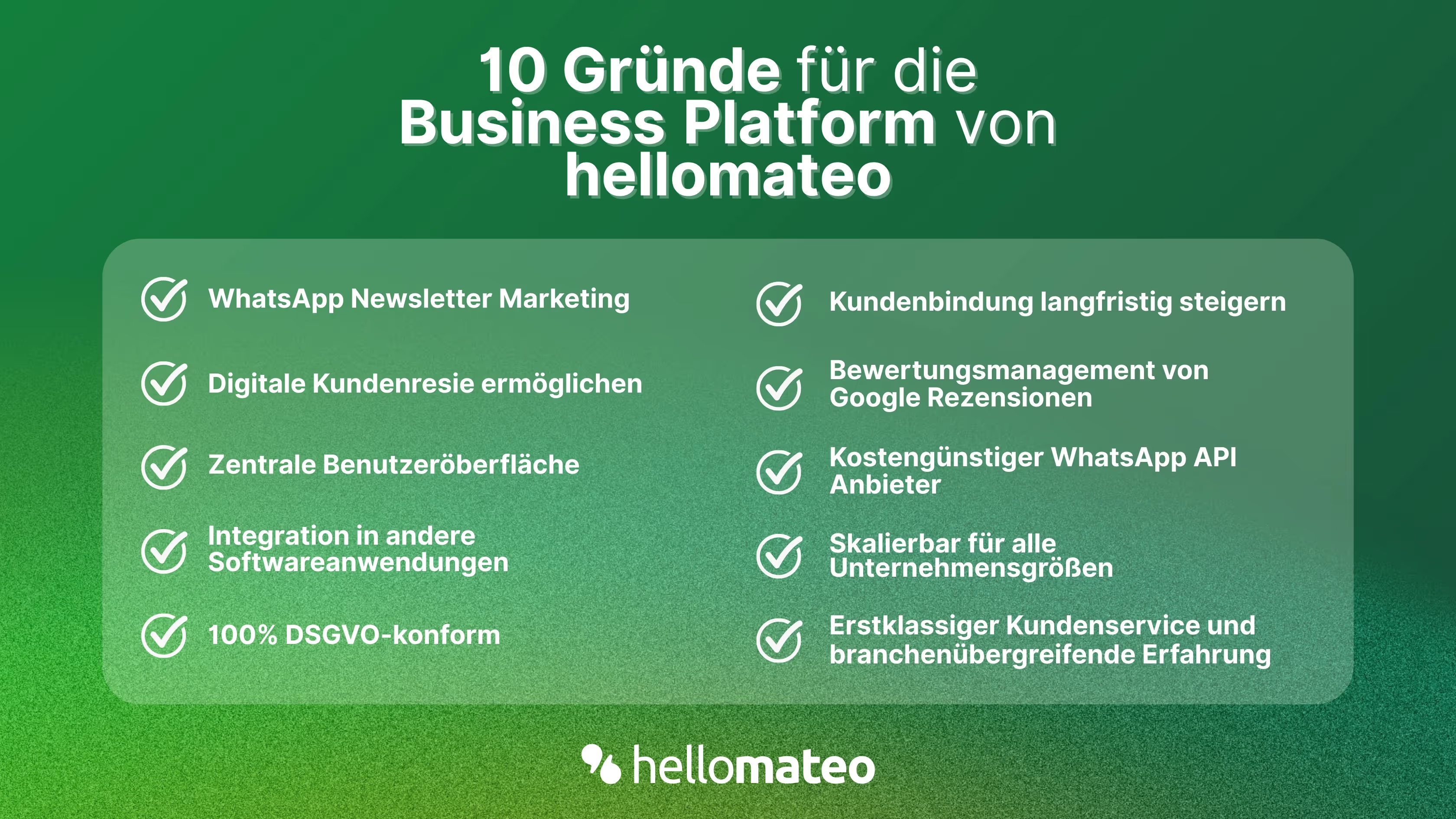
- Central user interface: hellomateo combines WhatsApp Business Platform, email, Instagram, SMS and Facebook Messenger in one central inbox. The intuitive user interface includes various tools for efficient customer communication and saves you valuable working time.
- integrations: With hellomateo, you can use WhatsApp in integrate over 6,000 software programs and fully automated Customer trips create with invitations, order confirmations, shipping information, invoices, and reminders.
- Newsletter marketing: Send GDPR-compliant Newsletter via WhatsApp or SMS and benefit from opening rates of over 95%.
- Assessment management: hellomateo can Automatically request online reviews from your customers, which boosts your Google ranking and trust in your company.
- Data protection: hellomateo meets all German and European Data protection requirements and offers end-to-end encryption for secure customer communication.
- scalability: Our software is suitable for Businesses of all sizes and can be extended indefinitely depending on the package.
- Diverse AI features: Our AI agent can automatically answer customer inquiries in chat, answer calls, help with the formulation of messages and much more.
Arrange a non-binding and free consultation and we'll show you how hellomateo covers your communication needs! Simply book an appointment here or write to us via our web widget.
About the author
Christian Strauch
Co-Founder and CEO
Christian Strauch is CEO and co-founder of hellomateo and is responsible for the strategic and operational management of the company. In his role, he is particularly responsible for sales, marketing and partners. Under his leadership, hellomateo has developed into a central tool for customer loyalty via WhatsApp, e-mail and letter for more than 2,000 companies.
More interesting articles
WhatsApp Business Data Processing Agreement— all information for companies
WhatsApp is an integral part of customer communication for many companies. High opening rates and quick responses make the channel attractive. But as soon as you use WhatsApp Business, you process personal data — and therefore there are clear GDPR requirements. In this article, you will find out what role the order processing contract plays and why it is indispensable for companies.
![Set up WhatsApp Business Auto Reply — Quick Guide [2025]](https://cdn.prod.website-files.com/68b19e5233a4641b9e2e4f95/692dd05228900f9fa9834bd4_whatsapp-automatische-antwort.avif)
Set up WhatsApp Business Auto Reply — Quick Guide [2025]
With automatic Reply messages Is there for them in the WhatsApp Business App provides a practical way to your customers in the digital chat channel automatically greet And in a flash one first reaction to show. Because day-to-day business is often stressful; you can't always respond personally to incoming messages and write back to the customer immediately.
But there are also many other reasons why it makes sense to use automatic reply messages when using the WhatsApp Business app. With this Quick guide Automatic answers are set up in a flash!

![Grüner Haken in WhatsApp – So bekommen Unternehmen die Verifizierung [Oktober 2025]](https://cdn.prod.website-files.com/68b19e5233a4641b9e2e4f95/692dcf56fb67605603b34297_gruener-haken.avif)
Grüner Haken in WhatsApp – So bekommen Unternehmen die Verifizierung [Oktober 2025]
WhatsApp hat eine neue Funktion eingeführt: Unternehmen können Ihr Konto verifizieren lassen und bei erfolgreicher Legitimation einen grünen Haken in dem WhatsApp Business Unternehmensprofil erhalten. Das sorgt für mehr Vertrauen bei Kaufinteressenten Ihres Unternehmens und steigert Ihre Umsätze! Zudem können Sie sich durch einen grünen Haken in WhatsApp Business von Ihren Wettbewerbern abheben. Doch wie funktioniert die Beantragung des beliebten Symbols? In diesem Beitrag zeigen wir es Ihnen!