WhatsApp Newsletter Templates for Your Marketing [June 2024]
25.06.2024
Arrange a non-binding consultation now
In a non-binding conversation, we'll show you how to use messenger communication in compliance with GDPR, automate processes and achieve measurably more revenue and efficiency with WhatsApp. Clear, practical and tailored to your company.


A selection of different WhatsApp newsletter templates
So that you can start your WhatsApp marketing campaign with little effort, we have prepared some WhatsApp newsletter templates that you can use immediately after a short customization. Make sure to personalize your newsletters and always offer added value to your customers.
Completed repair template
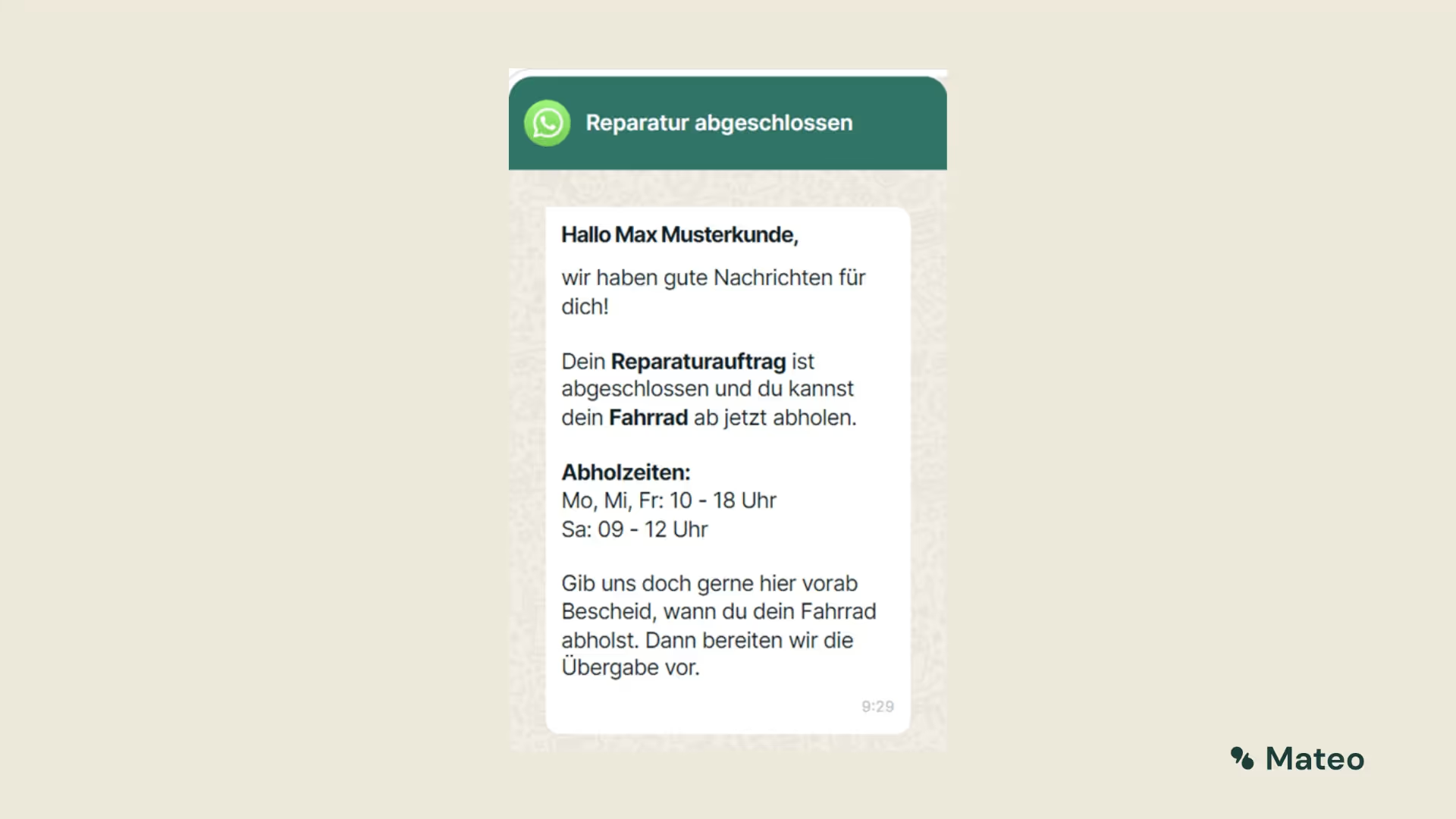
“Prospectus” template

Service reminder template

Evaluation Request template

Missed deadline template

“Shipping confirmation with evaluation request” template

Tips for using WhatsApp newsletter templates
Since WhatsApp newsletters should be tailored to the target group, we recommend that you change the newsletters slightly before using them and thus adapt them to your company and customers. You can use the following tips as a guide:
1. Select an appropriate template
Select a template that meets your needs and goals. Consider the design, colors, fonts, and overall style to make sure they match your brand and theme.
2. Customize the template to suit your brand and target group
Customize the template to reflect your brand identity. Use your logo, corporate colors, and other visual elements to increase recognition. Make sure that the template is also tailored to the needs and interests of your target audience.
3. Inclusion of appealing visual elements
Integrate visual elements such as images, graphics, or icons to make the newsletter more appealing. Make sure that the visual elements are relevant, high-quality and support the content of the newsletter.
4. Personalization of newsletters
Use the personalization option to tailor the newsletter to recipients. Use the recipient's name in the greeting and tailor the content to their interests or past activity. We recommend dividing your customer base into different segments in advance and, if necessary, selecting and individualizing a separate WhatsApp newsletter template for each customer segment.
5. Structuring the newsletter into sections
Break the newsletter into well-structured sections to improve readability. Use headlines, paragraphs, and bulleted lists to make the text easy to grasp and highlight important information.
6. Use of call-to-actions and links
Integrate call-to-action buttons into the newsletter to motivate recipients to take action. Include links to relevant pages or offers to give recipients a direct opportunity to interact.
By following these tips for using WhatsApp newsletter templates, you can design appealing and effective newsletters and thus ensure that your marketing contributes to long-term business success.
Performance measurement and analysis of WhatsApp newsletter templates
Which WhatsApp newsletter templates work well, which don't? You will certainly ask yourself this question sooner or later. Regular performance measurement and analysis of your WhatsApp marketing campaigns is crucial to evaluate and optimize the success of your campaigns and the selection of your WhatsApp newsletter templates. We recommend collecting and analyzing the following data:
1. Open and click rates
Track the opening and click rates of your WhatsApp newsletters. The opening rate shows how many recipients have opened the newsletter, while the click rate shows how many recipients have clicked on links or call-to-action buttons. These key figures provide information about the interest of recipients and the effectiveness of the WhatsApp newsletter templates you have selected.
2. Conversion tracking
Implement conversion tracking to track the actions and conversions that result from your newsletters. This could include buying a product, filling out a form, or subscribing to a service. By tracking conversions, you can measure the direct impact of your newsletter campaigns on business success.
3. Cancellations and complaints
Monitor the number of cancellations and complaints from recipients. A high number of unsubscriptions may indicate dissatisfaction or disinterest, while complaints may indicate that recipients perceive your newsletters as spam. Analyze the reasons for cancellations and complaints and, if necessary, make adjustments to the WhatsApp newsletter templates you have chosen.
4. A/B testing and comparative analyses
Conduct A/B tests regularly to compare different newsletter templates and get the best results. Also compare the performance of your newsletters over different time periods to identify trends and changes. Use the knowledge you have gained to continuously optimize the selection of suitable WhatsApp newsletter templates.
5. Feedback and surveys
Get regular feedback from your recipients to better understand their opinions and wishes. Include surveys or feedback links in your newsletters to provide targeted feedback on specific

General tips for your marketing campaign with WhatsApp newsletter templates
- Use WhatsApp's informal user atmosphere to build a personal relationship with customers.
- Offer your customers added value that strengthens customer loyalty and increases opening rates.
- Use personalized messages based on customer interests and buying behavior.
- Group customers and send personalized messages to relevant customer segments.
- Use call-to-action (CTA) buttons to encourage customers to interact.
- Strategically place CTAs and make sure they're eye-catching and easy to understand.
- Use different types of CTAs, such as purchase requests, login calls, or appointment bookings.
- Implement automatic responses to reduce response time and workload for specific customer inquiries.
- Use QR codes to make it easy to contact you via WhatsApp and enable customer inquiries.
- Place QR codes in your store, on documents, and various promotional materials and print ads.
- Observe WhatsApp Business Guidelines and ensure commercial use in accordance with the requirements.
- Add value to customers by sharing useful information, reminders, or tips.
- Pay attention to the right frequency so as not to overburden customers and maintain interest.
- Analyze your newsletter campaigns regularly to see what's working and what's not. Use the data you collect to optimize and improve your campaigns.
- When using WhatsApp newsletter tools, you should ensure that you comply with all legal requirements. Make sure that you have the consent of your recipients and that you don't send spam messages.
- Use images and videos to make your messages more engaging and interesting. Make sure the images and videos are of high quality and properly represent your brand and offering.
Sending a WhatsApp newsletter with hellomateo
With hellomateo, you can do highly professional WhatsApp newsletter marketing. Hundreds of companies are already using hellomateo and are impressed. Our customers know the following benefits particularly appreciated:
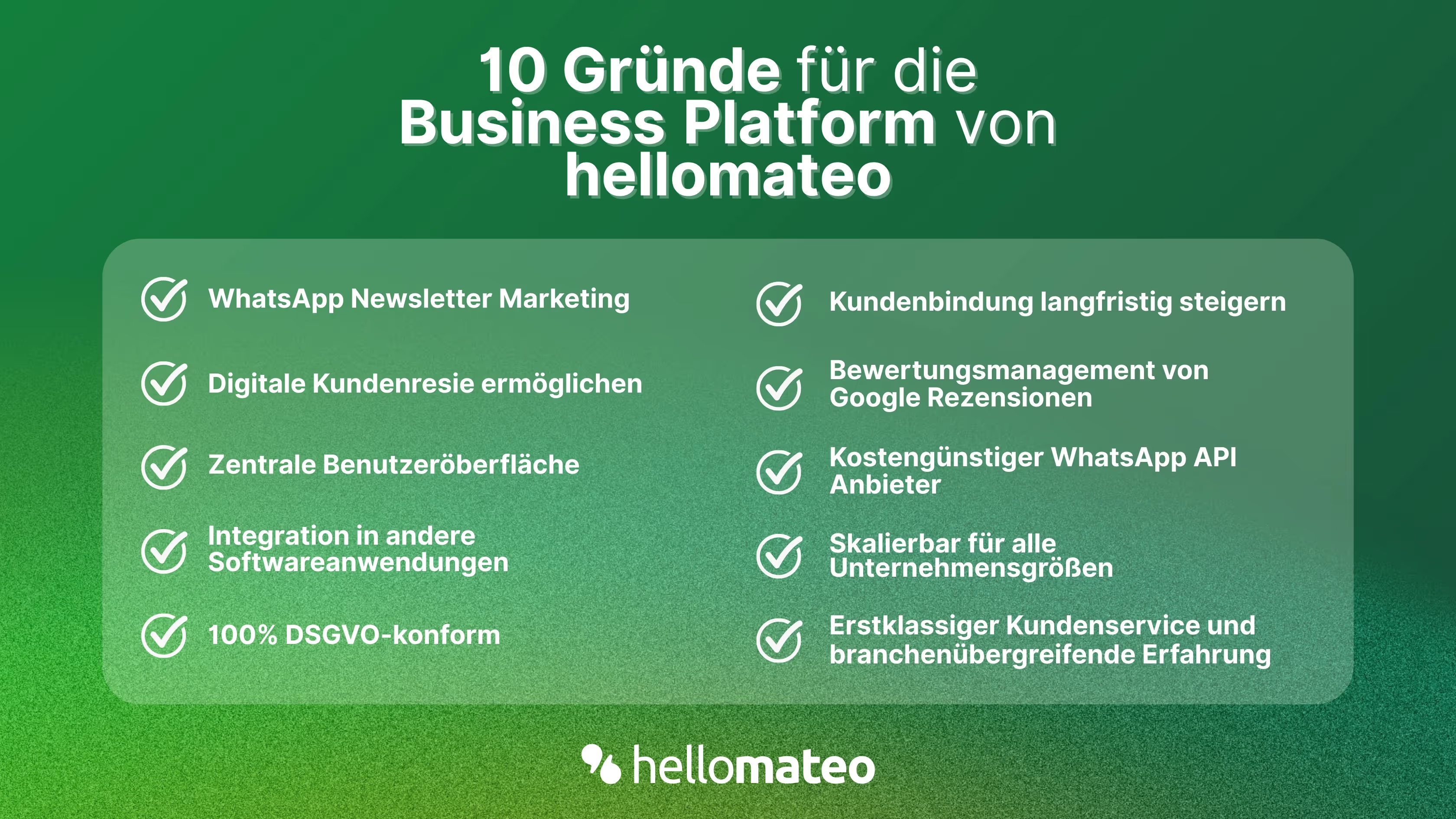
- Central user interface: hellomateo combines WhatsApp Business Platform, email, Instagram, SMS and Facebook Messenger in one central inbox. The intuitive user interface includes various tools for efficient customer communication and saves you valuable working time.
- integrations: With hellomateo, you can use WhatsApp in integrate over 6,000 software programs and fully automated Customer trips create with invitations, order confirmations, shipping information, invoices, and reminders.
- Newsletter marketing: Send GDPR-compliant Newsletter via WhatsApp or SMS and benefit from opening rates of over 95%.
- Assessment management: hellomateo can Automatically request online reviews from your customers, which boosts your Google ranking and trust in your company.
- Data protection: hellomateo meets all German and European Data protection requirements and offers end-to-end encryption for secure customer communication.
- scalability: Our software is suitable for Businesses of all sizes and can be extended indefinitely depending on the package.
- Diverse AI features: Our AI agent can automatically answer customer inquiries in chat, answer calls, help with the formulation of messages and much more.
Arrange a non-binding and free consultation and we'll show you how hellomateo covers your communication needs! Simply book an appointment here or write to us via our web widget.
About the author
Domenik Fox
CEO and Co-Founder
Domenik Fox is co-founder and CEO of hellomateo. He is responsible for Customer Success, Customer Engineering, Finance and Product. A particular focus of his work is on the continuous development of the product and the design of new features. In terms of content, he focuses primarily on automated and personalized customer communication, multichannel marketing and digital customer journeys. Together with Christian Strauch and Philipp Steinrötter, he is continuously developing hellomateo into a central platform for modern customer experience in SMEs.
More interesting articles
WhatsApp Business Data Processing Agreement— all information for companies
WhatsApp is an integral part of customer communication for many companies. High opening rates and quick responses make the channel attractive. But as soon as you use WhatsApp Business, you process personal data — and therefore there are clear GDPR requirements. In this article, you will find out what role the order processing contract plays and why it is indispensable for companies.

![Set up WhatsApp Business Auto Reply — Quick Guide [2025]](https://cdn.prod.website-files.com/68b19e5233a4641b9e2e4f95/692dd05228900f9fa9834bd4_whatsapp-automatische-antwort.avif)
Set up WhatsApp Business Auto Reply — Quick Guide [2025]
With automatic Reply messages Is there for them in the WhatsApp Business App provides a practical way to your customers in the digital chat channel automatically greet And in a flash one first reaction to show. Because day-to-day business is often stressful; you can't always respond personally to incoming messages and write back to the customer immediately.
But there are also many other reasons why it makes sense to use automatic reply messages when using the WhatsApp Business app. With this Quick guide Automatic answers are set up in a flash!

![Grüner Haken in WhatsApp – So bekommen Unternehmen die Verifizierung [Oktober 2025]](https://cdn.prod.website-files.com/68b19e5233a4641b9e2e4f95/692dcf56fb67605603b34297_gruener-haken.avif)
Grüner Haken in WhatsApp – So bekommen Unternehmen die Verifizierung [Oktober 2025]
WhatsApp hat eine neue Funktion eingeführt: Unternehmen können Ihr Konto verifizieren lassen und bei erfolgreicher Legitimation einen grünen Haken in dem WhatsApp Business Unternehmensprofil erhalten. Das sorgt für mehr Vertrauen bei Kaufinteressenten Ihres Unternehmens und steigert Ihre Umsätze! Zudem können Sie sich durch einen grünen Haken in WhatsApp Business von Ihren Wettbewerbern abheben. Doch wie funktioniert die Beantragung des beliebten Symbols? In diesem Beitrag zeigen wir es Ihnen!