Applying via WhatsApp: Message templates for companies [June 2024]
13.06.2024
Arrange a non-binding consultation now
In a non-binding conversation, we'll show you how to use messenger communication in compliance with GDPR, automate processes and achieve measurably more revenue and efficiency with WhatsApp. Clear, practical and tailored to your company.

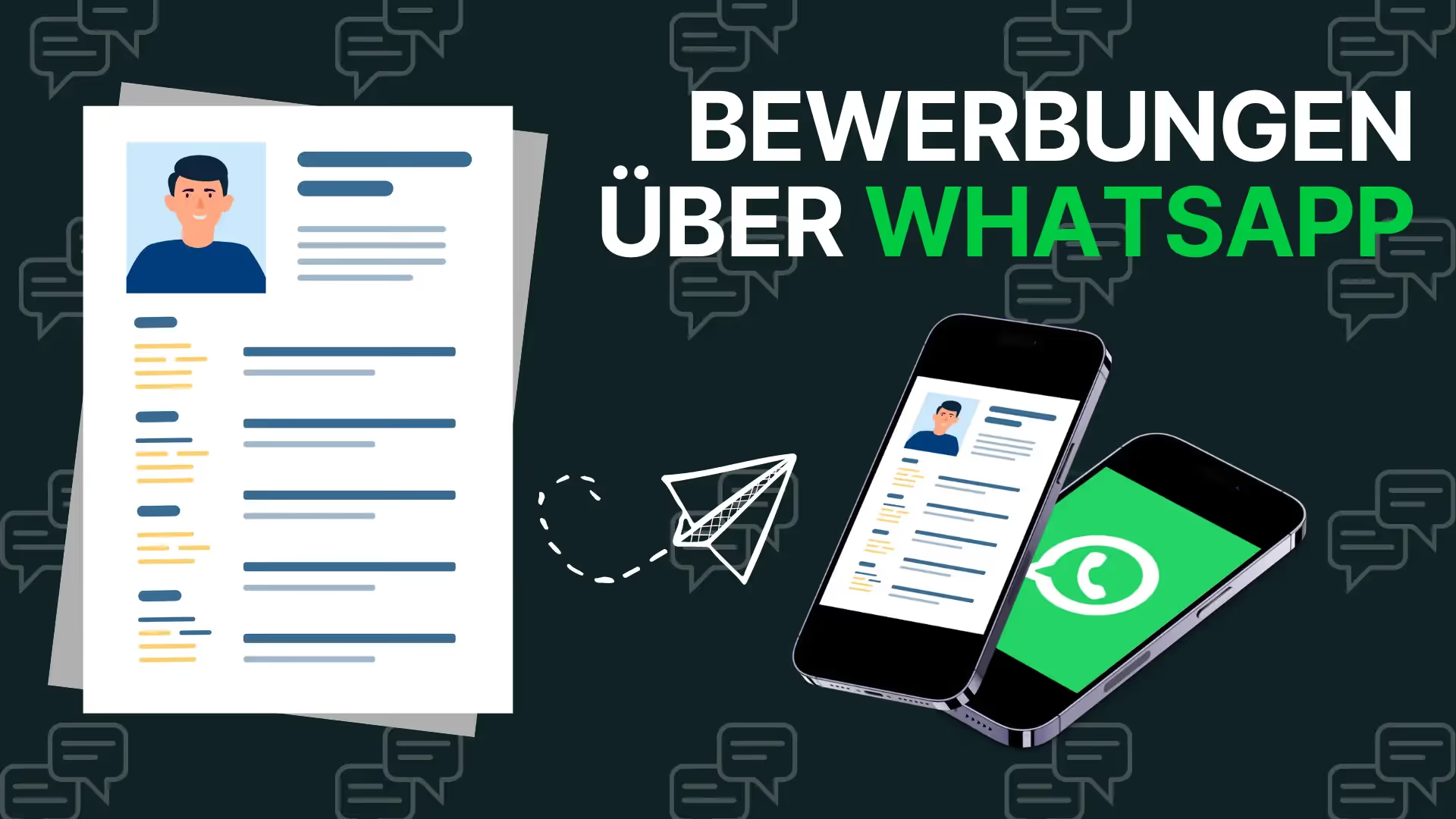
Benefits of applying via WhatsApp for companies
The application process via WhatsApp offers numerous benefits for both sides. It allows easy contact, quick exchange via chat and easy sending of application documents. Direct dialogue also creates a personal atmosphere throughout the application process. Generation Z in particular, which is the focus of many companies, prefers mobile and digital ways to apply. It is therefore important to move away from traditional contact forms and lengthy online questionnaires and use modern channels such as WhatsApp.

Die Application via WhatsApp offers companies a number of benefits that make the application process more efficient and user-friendly. Some of these benefits are explained in more detail below:
Quick and direct communication: By using WhatsApp as an application channel, companies can communicate with applicants directly and in real time. Messages can be sent and received quickly, resulting in accelerated communication. On WhatsApp, applicants tend to answer messages significantly faster than with emails or applicant portals. This enables effective coordination of appointments, inquiries or quick updates on the application status.
Easy submission of documents: WhatsApp makes it easy to send application documents such as curriculum vitae, cover letter and certificates. Applicants can simply send their documents as an attachment in the chat conversation, without annoying online portals with technical errors or postal submissions. This simplifies the process for applicants and makes it easier for companies to organize and manage incoming applications.
Easy appointment scheduling: Applying via WhatsApp enables companies and applicants to quickly and easily make appointments for job interviews or other selection processes. Through direct communication, queries or schedule changes can be resolved quickly, which leads to efficient scheduling and speeds up the application process.
Flexibility and mobile use: Since WhatsApp is a mobile messaging platform, applicants can send applications anytime and anywhere via their smartphone or using WhatsApp Web via their laptop or tablet. This allows for greater flexibility for applicants, as they are not bound to fixed working hours or office locations. Companies benefit from a wider range of applicants and can reach potential candidates more easily.

Creating a WhatsApp template for applications
A good WhatsApp application template should be clearly structured, concise, and easy to understand. It should request all necessary information that is relevant for an initial evaluation of applicants. Make sure to create a WhatsApp template for all common concerns in order to make your applicant management as efficient as possible and to minimize internal workload.
Since, due to data protection regulations and automation options, you will certainly WhatsApp API interface and do not use the conventional WhatsApp business application, the creation of a WhatsApp application template will depend on WhatsApp API provider vary. Each WhatsApp API provider has specially developed software and therefore also its own user interface. It may even be that the API provider of your choice does not support any message templates at all.
Instructions: Create WhatsApp application templates in hellomateo
Creating templates for applications via WhatsApp works in hellomateo in the same way as with other message templates. Just follow these instructions:
- Open the hellomateo app in the browser.
- Click on the cogwheel icon in the top right to open Settings.
- In the left menu, under Personalization, click on “Message Templates.”
- Use the “+ Add” button at the top right to add a new message template.
- In the pop-up window, enter the name of the message template, the category and the content.
- Insert placeholders and customer fields. Customer fields are automatically filled in via hellomateo's integrated contact management when the message template is sent.
- Make sure that the “Request WhatsApp verification” box is checked. This is the only way you can use the message template outside the 24-hour time window.
- Ready! If your message template is verified by WhatsApp, you can use it across all channels.

Examples of WhatsApp application templates
Follow-up communication template
Hello [name of applicant],
We have received your application and are now starting to process the documents. We'll get back to you shortly.
Best regards from [company location],
[your name] [your position] [company name]

First contact template
Hi [name of applicant],
Thank you for your interest in working with [company name]. Please send us the following information:
- Full name
- Curriculum vitae (please attach as a PDF)
- Brief description of your professional experience
- availability for a job interview
Best regards,
[your name] [your position] [company name]

Interview Invitation Template
Hi [name of applicant],
We are pleased to announce that you have been shortlisted. We would like to invite you to a personal interview. Please let us know which of the following dates are possible for you:
- [Date and time 1]
- [Date and time 2]
- [Date and time 3]
We are looking forward to your feedback.
Best regards,
[your name] [your position] [company name]

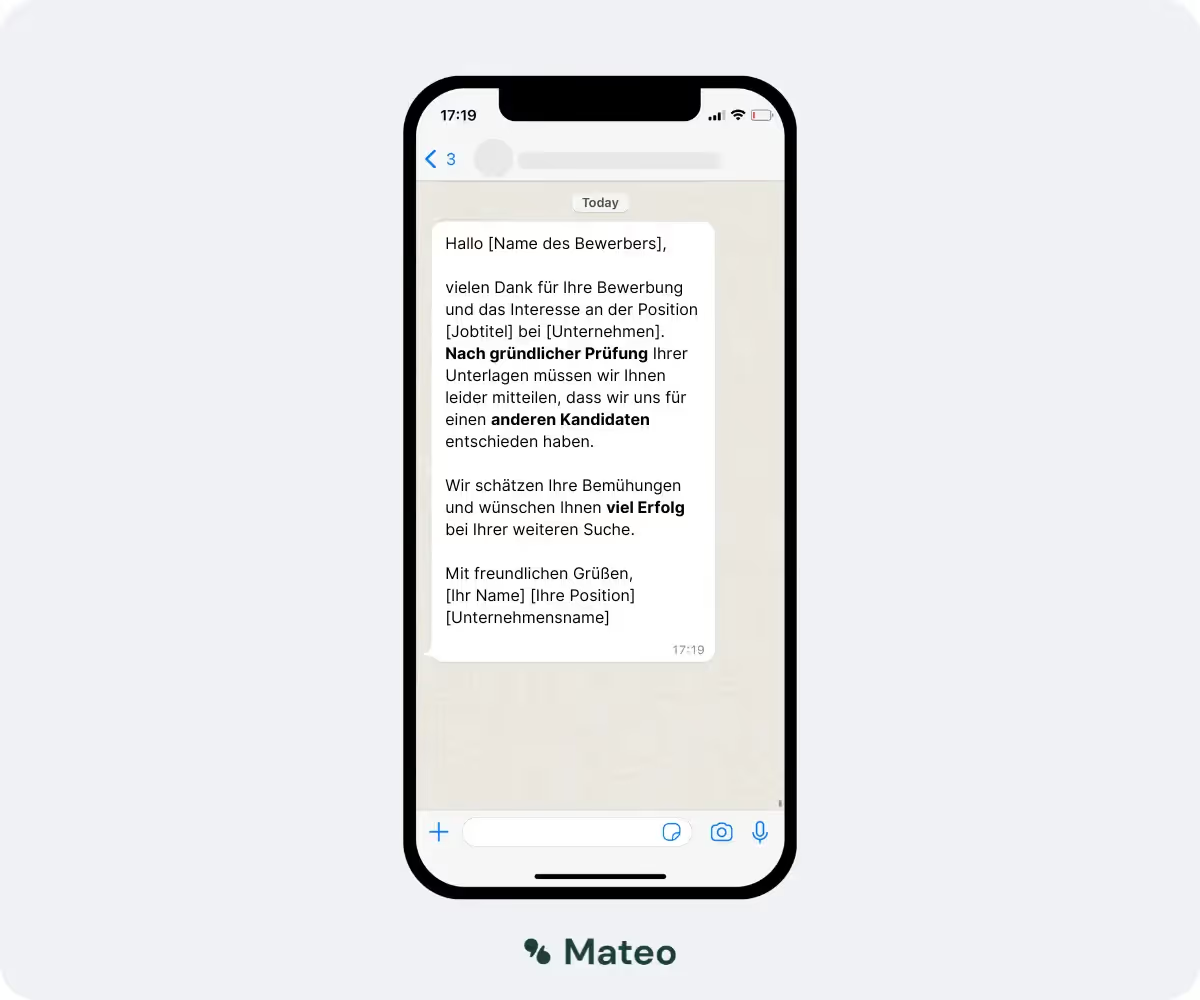
Application Rejection Template
Hi [applicant name],
Thank you for your application and interest in the [job title] position at [company name]. After a thorough review of your documents, we unfortunately have to inform you that we have decided on another candidate.
We appreciate your efforts and wish you every success in your continued search.
Best regards,
[your name] [your position] [company name]
Technical implementation and integration of applications via WhatsApp
Using the WhatsApp API
With the WhatsApp API, companies can seamlessly integrate WhatsApp into their existing systems. This enables the automation and professional management of application processes. In addition, the WhatsApp API is currently the only way for companies to use WhatsApp in a GDPR-compliant manner.
Integration with CRM and HR software
By integrating with CRM and HR software, companies can manage and track applications more efficiently. This enables better organization and faster response times. Note: A faster application process also results in fewer quitting applicants.
Automation options
Automating messages and replies can significantly speed up the application process via WhatsApp. By using automatically sent message templates, standard questions can be answered in a flash and applicants can be guided through the process. In addition, you present your company as innovative and progressive and make a good impression on applicants.
Start the application process via WhatsApp with hellomateo
To effectively use WhatsApp as a recruiting channel, you can use hellomateo. Hellomateo not only enables communication with customers but also with applicants via the WhatsApp Business API. Hellomateo only uses German server locations and continuously adapts the software to changing data protection regulations in order to be able to guarantee 100 percent GDPR compliance. With many useful functions such as message templates, automatic replies and text modules, communication via hellomateo is highly efficient and saves valuable working time. Hellomateo supports sending and receiving many different file types and has integrated internal contact management.

Hellomateo's software has a lot to offer. Our customers particularly appreciate the following features:
- Central user interface: hellomateo combines WhatsApp Business Platform, email, Instagram, SMS and Facebook Messenger in one central inbox. The intuitive user interface includes various tools for efficient customer communication and saves you valuable working time.
- integrations: With hellomateo, you can use WhatsApp in integrate over 6,000 software programs and fully automated Customer trips create with invitations, order confirmations, shipping information, invoices, and reminders.
- Newsletter marketing: Send GDPR-compliant Newsletter via WhatsApp or SMS and benefit from opening rates of over 95%.
- Assessment management: hellomateo can Automatically request online reviews from your customers, which boosts your Google ranking and trust in your company.
- Data protection: hellomateo meets all German and European Data protection requirements and offers end-to-end encryption for secure customer communication.
- scalability: Our software is suitable for Businesses of all sizes and can be extended indefinitely depending on the package.
- Diverse AI features: Our AI agent can automatically answer customer inquiries in chat, answer calls, help with the formulation of messages and much more.
Arrange a non-binding and free consultation and we'll show you how hellomateo covers your communication needs! Simply book an appointment here or write to us via our web widget.
About the author
Domenik Fox
CEO and Co-Founder
Domenik Fox is co-founder and CEO of hellomateo. He is responsible for Customer Success, Customer Engineering, Finance and Product. A particular focus of his work is on the continuous development of the product and the design of new features. In terms of content, he focuses primarily on automated and personalized customer communication, multichannel marketing and digital customer journeys. Together with Christian Strauch and Philipp Steinrötter, he is continuously developing hellomateo into a central platform for modern customer experience in SMEs.
More interesting articles
WhatsApp Business Data Processing Agreement— all information for companies
WhatsApp is an integral part of customer communication for many companies. High opening rates and quick responses make the channel attractive. But as soon as you use WhatsApp Business, you process personal data — and therefore there are clear GDPR requirements. In this article, you will find out what role the order processing contract plays and why it is indispensable for companies.

![Set up WhatsApp Business Auto Reply — Quick Guide [2025]](https://cdn.prod.website-files.com/68b19e5233a4641b9e2e4f95/692dd05228900f9fa9834bd4_whatsapp-automatische-antwort.avif)
Set up WhatsApp Business Auto Reply — Quick Guide [2025]
With automatic Reply messages Is there for them in the WhatsApp Business App provides a practical way to your customers in the digital chat channel automatically greet And in a flash one first reaction to show. Because day-to-day business is often stressful; you can't always respond personally to incoming messages and write back to the customer immediately.
But there are also many other reasons why it makes sense to use automatic reply messages when using the WhatsApp Business app. With this Quick guide Automatic answers are set up in a flash!

![Grüner Haken in WhatsApp – So bekommen Unternehmen die Verifizierung [Oktober 2025]](https://cdn.prod.website-files.com/68b19e5233a4641b9e2e4f95/692dcf56fb67605603b34297_gruener-haken.avif)
Grüner Haken in WhatsApp – So bekommen Unternehmen die Verifizierung [Oktober 2025]
WhatsApp hat eine neue Funktion eingeführt: Unternehmen können Ihr Konto verifizieren lassen und bei erfolgreicher Legitimation einen grünen Haken in dem WhatsApp Business Unternehmensprofil erhalten. Das sorgt für mehr Vertrauen bei Kaufinteressenten Ihres Unternehmens und steigert Ihre Umsätze! Zudem können Sie sich durch einen grünen Haken in WhatsApp Business von Ihren Wettbewerbern abheben. Doch wie funktioniert die Beantragung des beliebten Symbols? In diesem Beitrag zeigen wir es Ihnen!